High-Logic Forum
Converting Straight to Curved Lines
FontCreator - Font Editor
FontCreator - Support
Bhikkhu_Pesala
(Bhikkhu Pesala)
July 31, 2015, 8:26pm
3
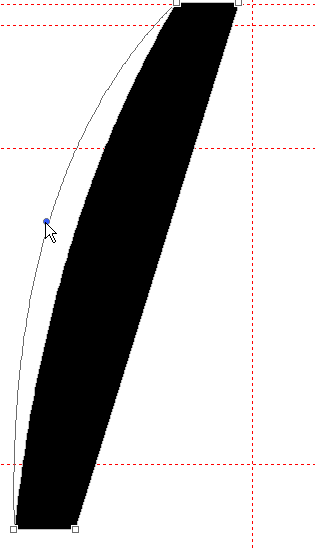
Select the node at the anticlockwise end of the straight line that you wish to curve
Press shortcuts a, then f.
Drag the off-curve node at the mid-point to curve the line
Curve Lines.png
315×549 2.27 KB
See also this post in the Tip of the Day Tutorial Thread:
Making a Smooth Bracket
show post in topic