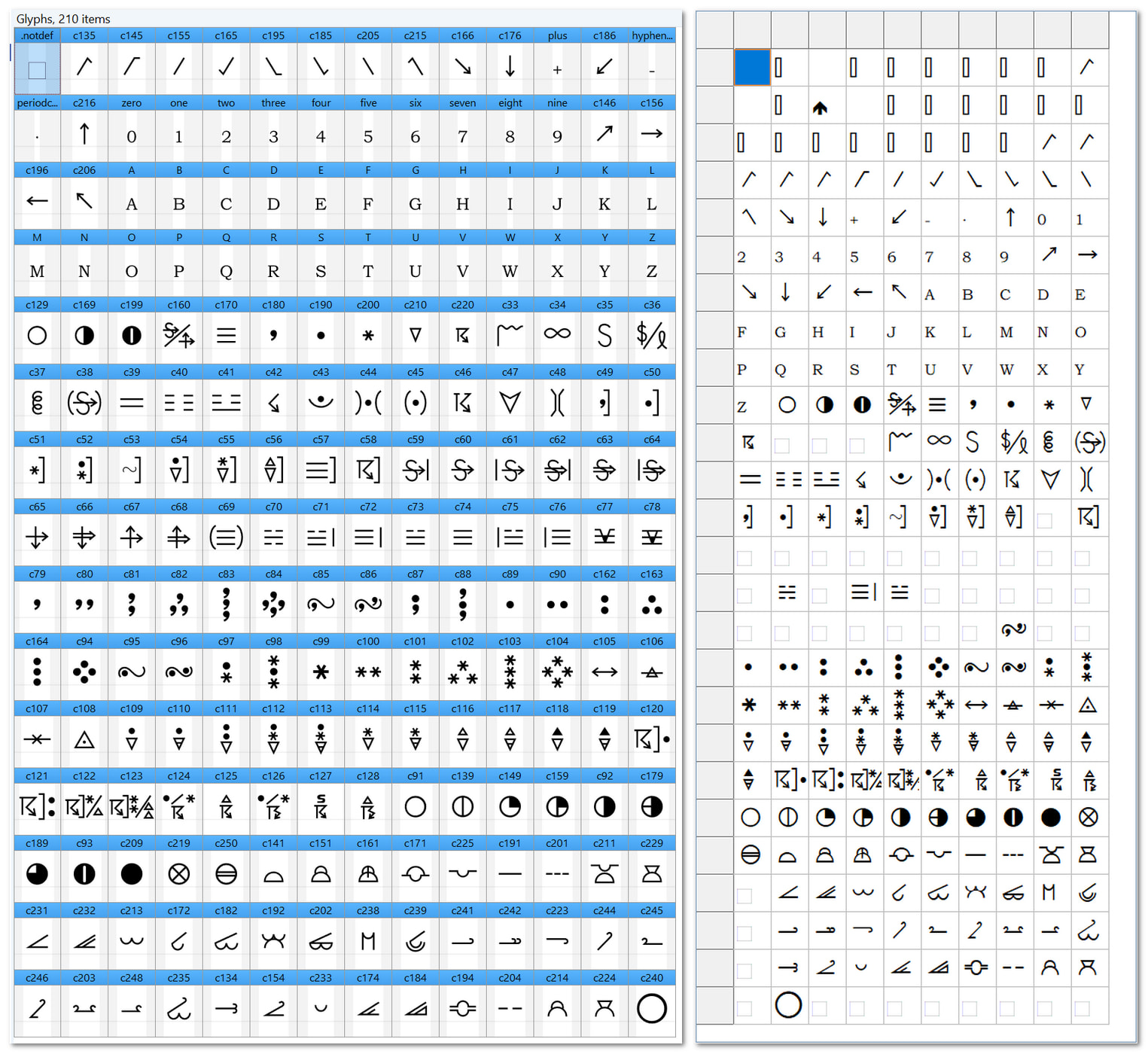
Apologies this has nothing at all to do with this wonderful software, but has everything to do with a bespoke Font that I’ve been using for many years that has decided not to work well in a Delphi 10.2 app on a Windows 11 PC (4K monitor high DPI).
In FontCreator the font displays fine but in a Delphi it chooses to work with certain characters but not all and it’s driving me crazy as to why. and I was wondering if someone else has experiencing the same problem and got a work round?
Less than two weeks ago this font worked 100%.
This screenshot shows the problem I’m up against - I’ve tried the validate option by the way.
Any help would be appreciated.
I’m just wondering if the recent Microsoft OS update changed something.
Since you’re using Delphi, I would check a few things:
Try displaying the same characters in another application, such as Word or LibreOffice, to see whether the problem is specific to Delphi.
Check the Font.Charset property in Delphi. If this is an older symbol font, you might need SYMBOL_CHARSET rather than DEFAULT_CHARSET.
Check the Unicode mappings of the affected glyphs in FontCreator, particularly if the font uses character positions traditionally reserved for control characters.
A Windows update could have changed how the font is handled, especially if it relies on older character encoding conventions. If you can share the font file, I would be happy to take a look at its character mappings.