Bug & Architecture Request: GPOS Subtable Overflow (65540 > 65535) in MarkToBase, Optimizer Corruption, and Subtable Splitting Heuristics (FC 16.0.0.3082)

Sir Erwin,

I have isolated the exact root cause of an OpenType export failure in FontCreator 16.0.0.3082 (64-bit) on a complex-script Arabic/Nastaleeq project.

Below are the technical findings, along with two specific architecture/UI requests regarding subtable auto-splitting limits, error messaging, and a bug in the storage optimizer.

1. Root Cause Breakdown

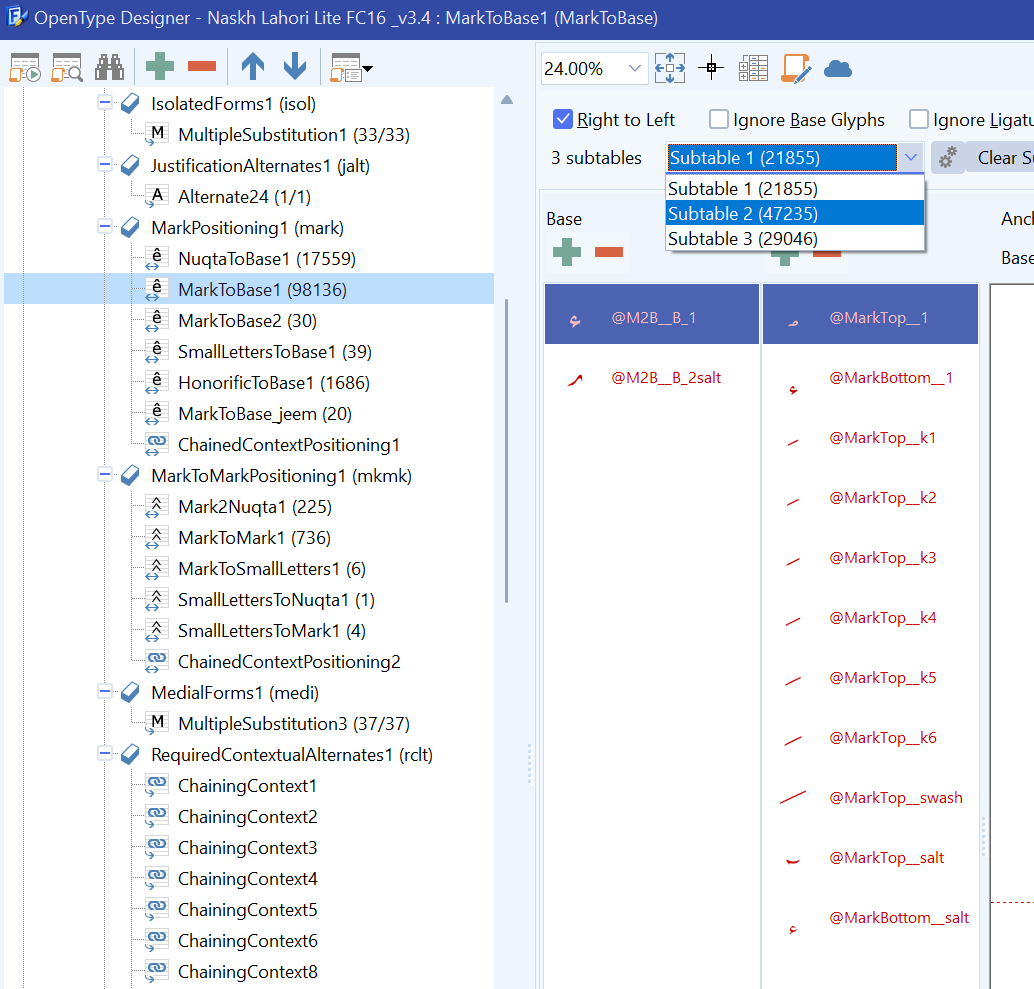
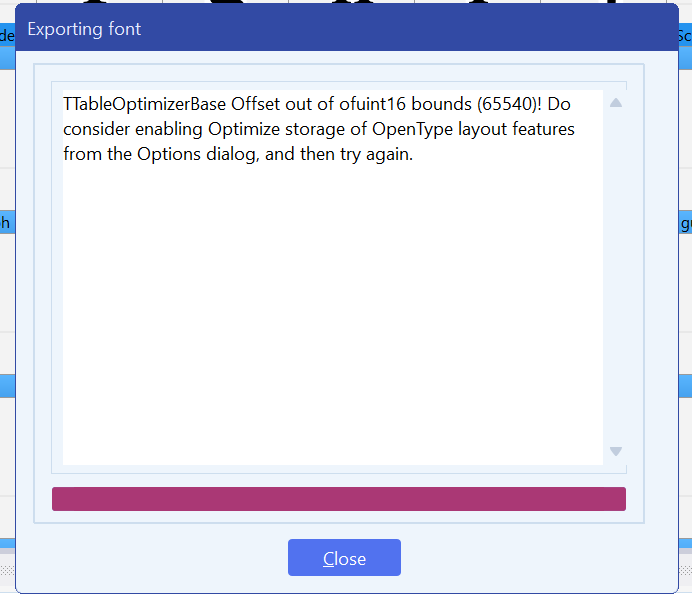
The export error TTableOptimizerBase Offset out of ofuint16 bounds (65540)! originates directly from MarkPositioning1 (mark) -> MarkToBase1, which contains 98,136 pairs distributed across 3 subtables:

  • Subtable 1: 21,855 pairs

  • Subtable 2: 47,235 pairs

  • Subtable 3: 29,046 pairs

(See attached screenshot: OpenType Designer MarkToBase1 Subtables.png)

The Technical Issue:

In the OpenType GPOS binary specification (MarkBasePosFormat1), internal offsets to AnchorTable and BaseRecord arrays are restricted to unsigned 16-bit integers (Offset16, maximum 65,535 bytes).

FontCreator attempted to pack 47,235 base-mark combinations into Subtable 2, causing the cumulative byte offset of the BaseArray / AnchorTable structures to reach 65,540 (exactly 5 bytes beyond the 16-bit ceiling).

2. The Optimizer Bug (Corrupted GPOS Compilation)

The error modal currently instructs the user:

“Do consider enabling Optimize storage of OpenType layout features from the Options dialog, and then try again.”

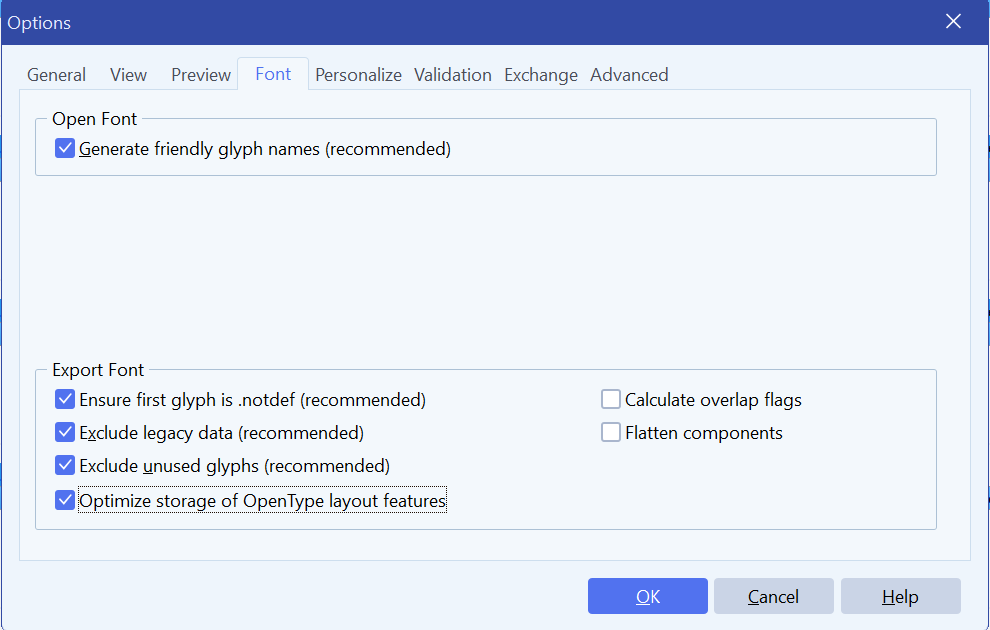
When this option is enabled under Tools → Options → Font:

  1. The font compiles without throwing a modal error.

  2. However, the compiled GPOS binary is corrupted.

  3. In Adobe InDesign 2023:

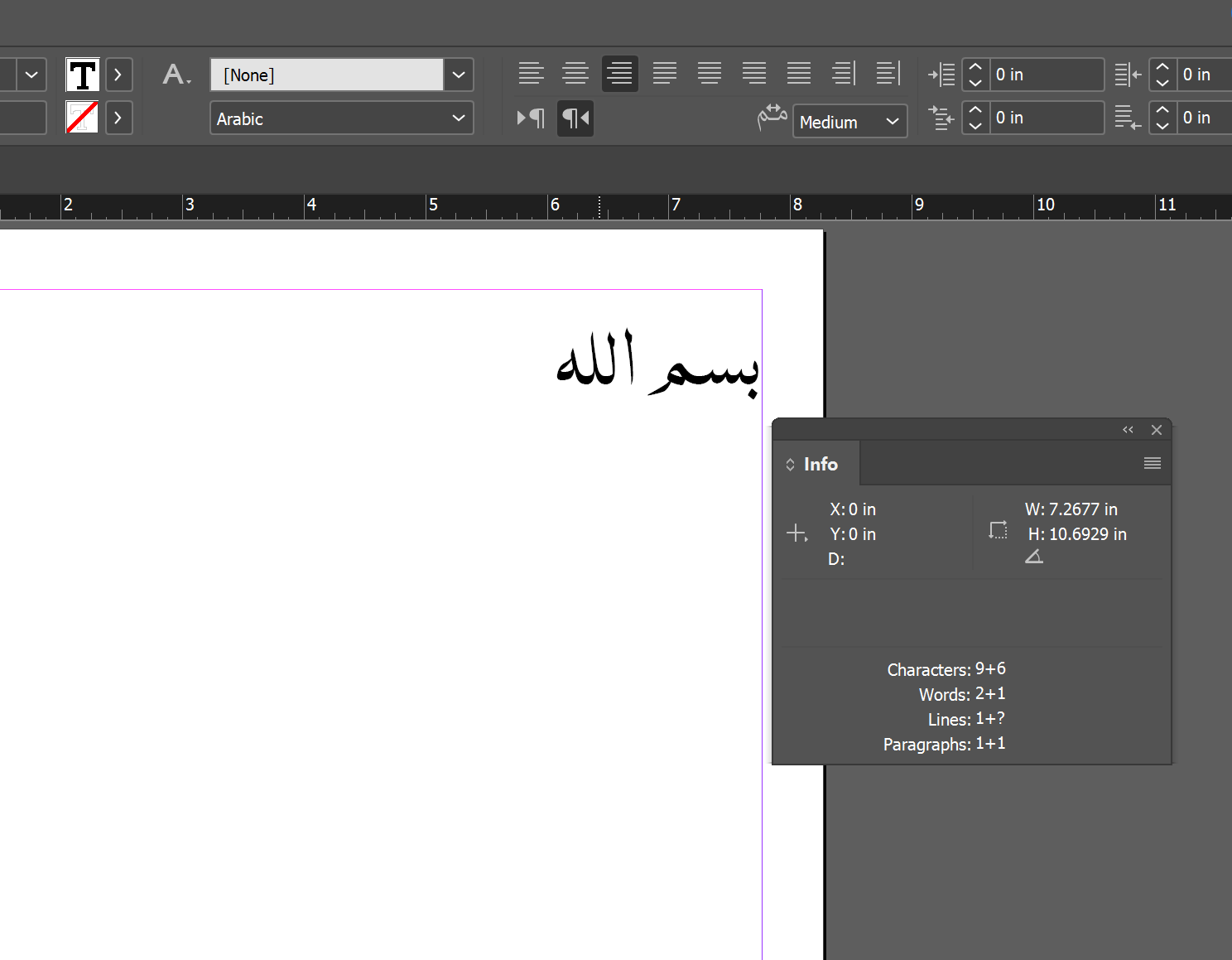
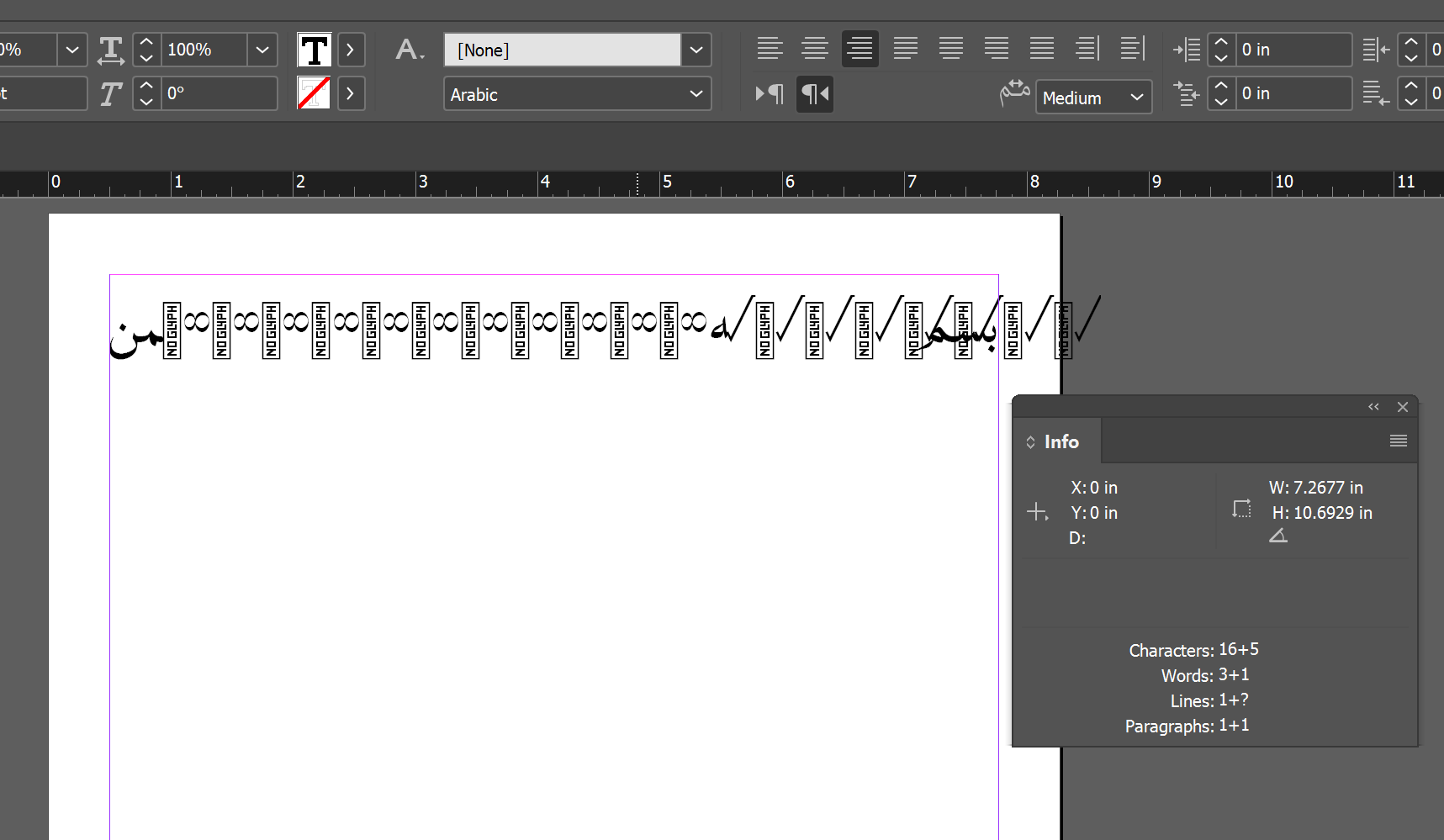
    • With HarfBuzz enabled: Glyphs fail to resolve through lookups and drop to .notdef (“NO GLYPH” boxes) despite glyphs being present and mapped in the font (see attached InDesign Rendering Failure.png).

    • With HarfBuzz disabled (Adobe World-Ready Composer): OpenType tables fail sanity checks outright, resulting in complete shaping failure / invisible text.

The storage optimizer’s compaction/deduplication routine appears to calculate invalid subtable offsets or corrupt the Coverage tables when compressing these large tables.

3. Feature & Usability Requests for Erwin / Development Team

Request A: Enforce Stricter Auto-Splitting Thresholds for GPOS Subtables

Because the OpenType binary specification strictly caps Offset16 at 65,535 bytes, a single subtable cannot hold unlimited pairs. FontCreator already divides lookups into subtables automatically, but its threshold allows individual subtables to balloon (in this case, 47,235 pairs in Subtable 2).

  • Request: Could FontCreator adjust its auto-partitioning heuristic to split MarkBasePos (and similar lookups) into smaller subtables dynamically before the cumulative BaseArray + AnchorTable size approaches ~60 KB, preventing ofuint16 overflows automatically?

Request B: Meaningful, Context-Aware Error Reporting

The current error message:

TTableOptimizerBase Offset out of ofuint16 bounds (65540)! Do consider enabling Optimize storage of OpenType layout features...

is ambiguous for end users because:

  1. It does not identify which feature, lookup, or subtable triggered the overflow (e.g., GPOS 'mark' -> MarkToBase1 (Subtable 2)).

  2. It advises enabling an optimization setting that, in cases of extreme density, outputs a broken/corrupt binary rather than explaining that the subtable exceeds the physical 64 KB OpenType structural limit.

  • Request: Please display the lookup name, table type (GPOS/GSUB), and subtable index in the error dialog, and recommend splitting the specific lookup into multiple smaller lookups rather than simply suggesting table optimization.

Attachments

  1. Error_Dialog.png — Showing the TTableOptimizerBase Offset out of ofuint16 bounds (65540) modal.

  2. Options_Storage_Optimization.png — Showing the export settings used.

  3. OpenType_Designer_MarkToBase1.png — Showing the 3 subtables and Subtable 2 with 47,235 pairs.

  4. InDesign_Rendering_Failure.png — Showing .notdef / broken shaping in InDesign 2023.

(I can provide the .fcp project file privately if needed for debugging the optimizer serialization routine.)
Yes, do send us the font project along with your exported font file that you think is corrupt. Then we can further look into this issue.

I have sent the email with the font project and the exported file attached. Please let me know if you receive them safely and what you find. Thank you!

I have not received it.

It is just like the problem we faced last time. OK, I will send it again.

I have received the files. I will get back to your soon.

1 Like

Thank you for the detailed report and for sending the project. It made it possible to reproduce everything you described, and I have good news on the most worrying point: the font FontCreator exports with “Optimize storage of OpenType layout features” enabled is not corrupt.

I exported your project with that option on and got a file that is byte-for-byte identical to the .ttf you sent, apart from the timestamp. That file parses cleanly in fontTools, passes the OpenType Sanitizer (the validator Chrome and Firefox use to reject broken fonts) without a single warning, and shapes correctly in HarfBuzz: بسم الله الرحمن الرحيم comes out with the contextual forms, the .allah1 ligature forms and every nuqta positioned by the mark feature, with no .notdef anywhere.

What InDesign shows cannot come from this file. The rendering contains check-mark glyphs attached where the nuqtas should be, and ∞ between the letters, yet the font has no check-mark glyph at all, and ∞ (glyph 264) is never the target of any lookup for Arabic input. The “NO GLYPH” boxes are the font’s own .notdef design, so InDesign is drawing outlines from a Naskh Lahori Lite, but resolving glyph IDs against a different glyph order than this file has. That is the signature of a stale font cache: an earlier build with the same family name and the same version string (1.001) was installed before, the glyph order changed between exports, and InDesign or the Windows font cache is still serving the old layout tables. Please remove the installed copy, delete the Adobe font cache files (AdobeFnt*.lst) and, if needed, Windows’ FNTCACHE.DAT, bump the version number, and install the fresh export. Alternatively, test the .ttf in something that has never seen the family before, such as a browser page using @font-face or hb-view. I am confident it will work.

On the error itself, your analysis was right. The lookup that does not fit is MarkToBase1: 47 marks in 11 classes against 999 base glyphs in its second subtable. Without the optimizer, every base anchor is written separately (10,989 anchors of 6 bytes each, after the 21,980-byte offset array), and the 7,261st anchor lands at byte 65,540 — exactly the number in the message. With the optimizer, identical anchors are stored once (10,989 become 2,177), the subtable shrinks from 87,914 to 35,042 bytes, and everything fits. So the suggestion in the dialog was correct for your font; it just didn’t explain itself.

I have taken your second request to heart. In the build linked below, the message now identifies the table, feature, lookup and subtable, explains the 65,535-byte limit, and says why the optimizer is likely to solve it, or, when the optimizer is already on, that the lookup needs to be split. For your project it reads:

The OpenType layout data of GPOS feature “MarkPositioning1 (mark)”, lookup “MarkToBase1”, subtable 2 of 3 does not fit: an internal offset of 65540 bytes exceeds the 65,535-byte (16-bit) limit of the OpenType format. Enabling “Optimize storage of OpenType layout features” in the Options dialog (Font tab) stores identical anchors, coverage tables and rules only once, which is very likely to make it fit. Otherwise, split this lookup into more subtables, or move part of its data to a separate lookup.

Your first request, splitting oversized subtables automatically, is a reasonable one and I have noted it, but it is not in this build: the subtables in the OpenType Designer are yours, and I would rather have the exporter tell you exactly where the limit is hit than silently reshape your lookup.

You can download the unofficial update here:
http://high-logic.com/tmp/fontcreator/FontCreatorSetup16.0.0.3083.exe

I would appreciate hearing whether the font renders correctly in InDesign after a clean reinstall.

Thank you for the quick turnaround with Build 16.0.0.3083 and the updated error reporting dialog. The detailed breakdown of the feature, lookup, and subtable limit in the error message is much more informative and clear.

I performed a fresh export with Build 3083 (with “Optimize storage of OpenType layout features” enabled), purged font caches, and tested again in Adobe InDesign 2023.

Observations from the Test:

  1. Resolution of .notdef / Glyph Order Corruption:

    • You were correct regarding the previous stale cache artifact—the .notdef boxes, checkmarks, and spurious infinity glyphs are completely gone. The glyph ID mapping is now resolving to the intended glyphs.
  2. Clarification on Missing Words (Overset Text):

    • In my screenshot, the Info panel indicates Characters: 9+6 and Words: 2+1. The missing words (الرحمن الرحيم) were simply pushed into overset text due to the frame boundary. Expanding the text frame reveals the characters.
  3. Remaining Shaping Discrepancy in InDesign:

    • While the font renders cleanly in standalone HarfBuzz validation, InDesign’s layout engine (tested with both the Adobe World-Ready Composer and HarfBuzz enabled) is not triggering expected contextual rules:

      • The word “الله” is composed of plain characters driven by contextual alternates (calt / rclt), not a precomposed ligature. In InDesign, the contextual substitution chain fails to fire, leaving it in default positional forms with mark positioning unapplied.

      • Specific contextual chaining rules that execute properly in the OpenType Designer preview appear bypassed during InDesign’s shaping pipeline.

Thank you again for the swift update to the error reporting in Build 3083. It provides exact visibility into where subtable boundaries are exceeded.

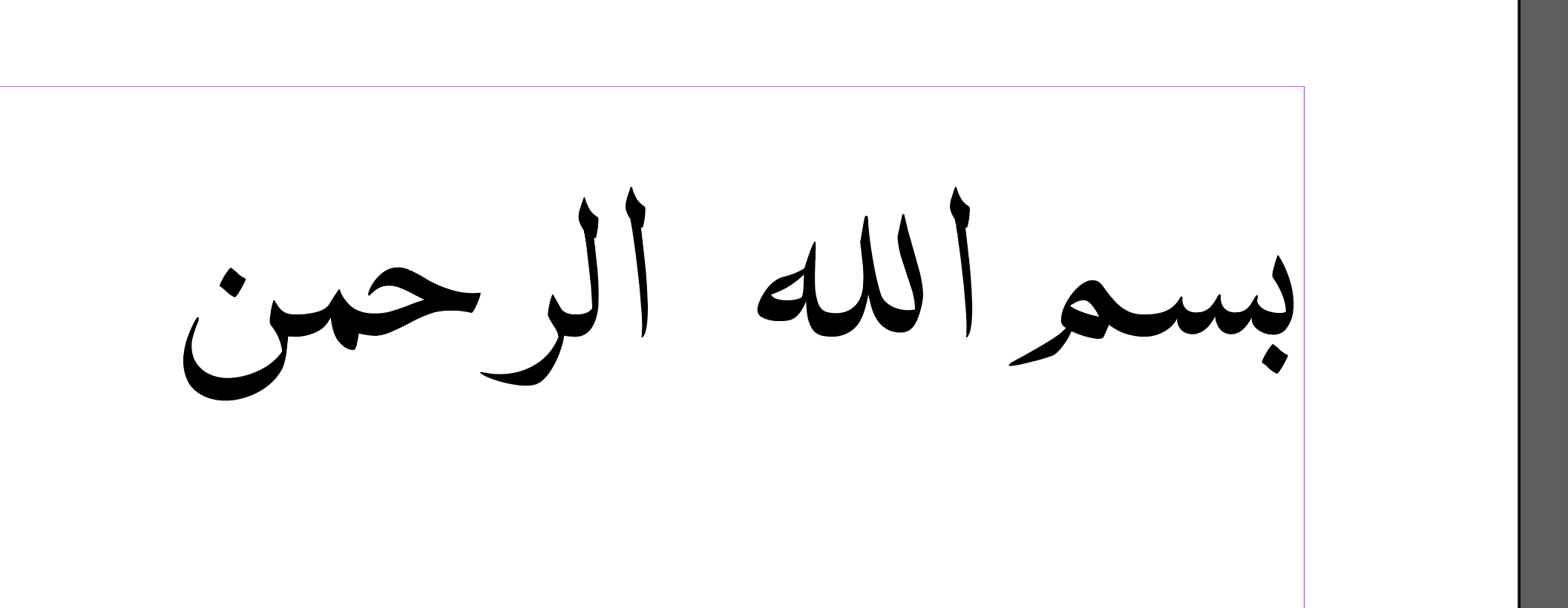
correct behavior in adobe indesign 2026 is also attached. the failure is only in adobe indesign 2023 while harfbuzz is enabled or disabled.

Thanks for testing so thoroughly, and good to hear that the fresh export renders correctly once the old caches were gone. That confirms FontCreator exports the font correctly.

The remaining difference is specific to InDesign 2023: the same file shapes correctly in HarfBuzz, in InDesign 2026 and in FontCreator’s own preview, so the contextual chain not firing there is a behaviour of that InDesign version’s shaping pipeline rather than of the font. I suggest you report it to Adobe, with the font and your before/after screenshots from 2023 and 2026; that comparison makes a strong case.