I know there is one of features of OpenType fonts - Contains two or more glyphs of a character, when a user types a character has this feature in a word processing software, the user can select one of glyphs of the character to display the character, that is, if a character contains two or more glyphs in the font, different characters have same codepoints can displayed in different glyphs when the font is applied to these characters, that feature is called ‘Alternate Substitution’ or 'Stylistic Set’.
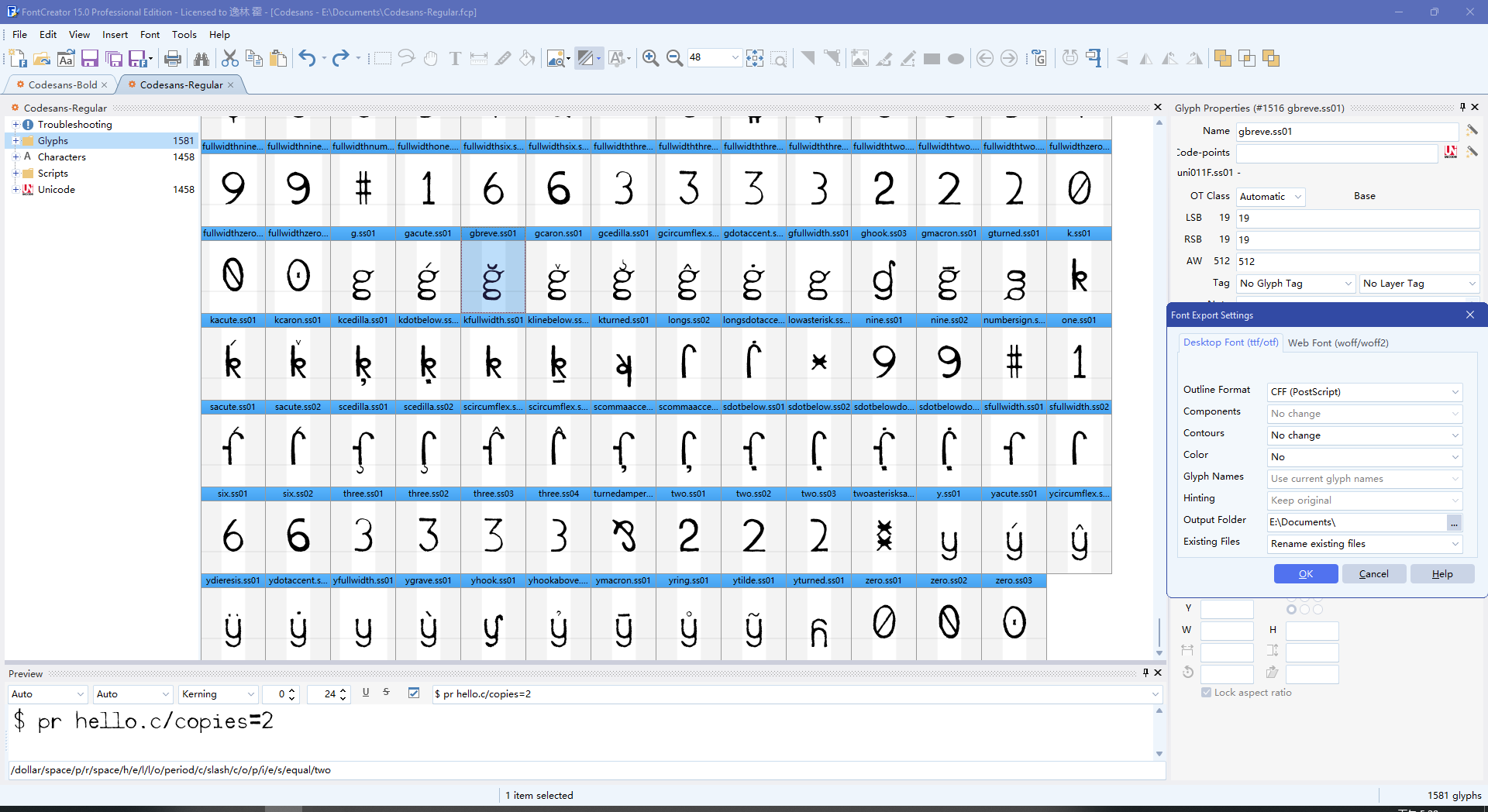
I am making a PostScript CFF font, assisted with FontCreator 15.0.0.3024, I plan to make the font has multiple glyphs for some of its characters. I renamed these glyphs as character_name.ssnumber such as three.ss01. After I exported the font as PostScript CFF OpenType font file, I found glyphs their names have ‘.ssnumber’ suffices are disappeared, but these ‘ss’ glyphs are reserved in my FontCreator Project file of the font.
So, I want to know, does FontCreator support exporting PostScript CFF OpenType font files and reserve ‘ss’ glyphs in the font? If FontCreator can do it, what operations should I do, for the FontCreator Project file?
There can only be one glyph mapped to a given codepoint. If you assign a codepoint to a glyph that you want to use only as a substitution, FontCreator will usually rename it to the production name recommended by the OpenType specification. This is important because some software (e.g. PDF generators) relies on those names to correctly reconstruct the underlying Unicode text.
If you notice that a glyph name changes after export, could you let us know the original name, the exported name, and whether that glyph had a codepoint assigned? That will help us check what’s going on.
Good message! I have read the photo posted on Stylistic Set Substitutions: Post 3. I selected All in the ‘Generate and Update OpenType Features’ panel, then lots of Scripts and Lookups are added automatically, when I export the font as OpenType, the .ss-suffix glyphs are reserved in the OTF file, and I can select these glyphs in Microsoft Word! Thank you, FontCreator.
This problem seems solved, at least things of the font work as I expected, as I hoped. I still don’t know what do I need to operate, for OpenType Designer, that can reserve stylistic sets glyphs in a font, but at least, I knew how to solve my problem. I decide to not delete this question, in order to let other people that have same questions have chances to read this question to help them to solve their same questions.