Version: 16.0.3062
Reproduction
- Open
example.fcp - Click Menu: File → Export Settings
- Click button “…” to customize the Output File form entry
Expected
The button “…” should be placed right after the “Output File” form component
Actual
The button “…” is placed after “Existing Files” form component. It takes me for a while to realize that the “…” button is actually for the “Output File” component.
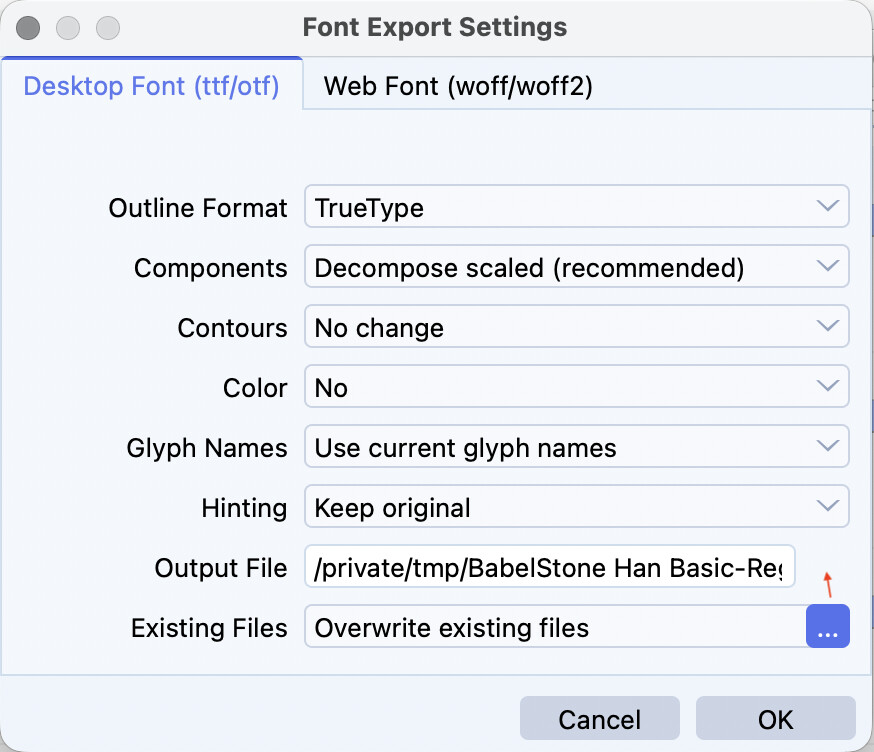
This is a regression introduced in version 16. In version 15 the button is positioned as expected.