Copying character to clipboard error

I have a font family that has a lot of custom characters I can’t use (not sure how to honestly) unless I copy it from the character screen (Ctrl C or right click copy) & paste it into the other program I am using it in (Ctrl V or right click paste). When I 1st started using the MainType software, it was working perfectly. But now when I copy & paste, it doesn’t paste the correct character, it’s 9 characters away from the one I copied. How do I fix this?

Thank you

What font is this?

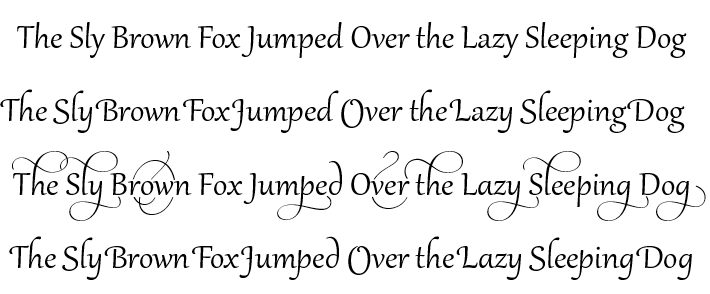
It’s the Samantha Upright by Laura Worthington, found HERE.

The font contains OpenType features such as Stylistic Alternatives.

If the software that you’re using supports OpenType features you need to enable them to make use of these extra glyphs.

Gabriola contains several Stylistic Sets (ss01-ss07)

This screen shot is from Serif PagePlus X9. What software are you using?

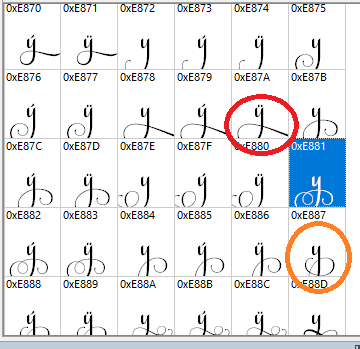
The program I am using is allowing me to see and use the different styles… I just have to do it 2 times.. for example… I copy what you see highlighted in the image, but what is circled in red is what is copied over. I have to then go back, count how many characters it is away, copy it (the orange one) to get the one I want.
Within MainType can you see if the selected font is installed?

yes, it is installed

Just guessing what goes wrong,

Are you selecting from the Regular style and then copy and paste it into the Bold style?

This font doesn’t have a bold option & no, the program I place it in is in “normal” settings

Does MainType 10 solve the problem?