Hello everyone.
I would like to export a list of missing glyph numbers in a font.
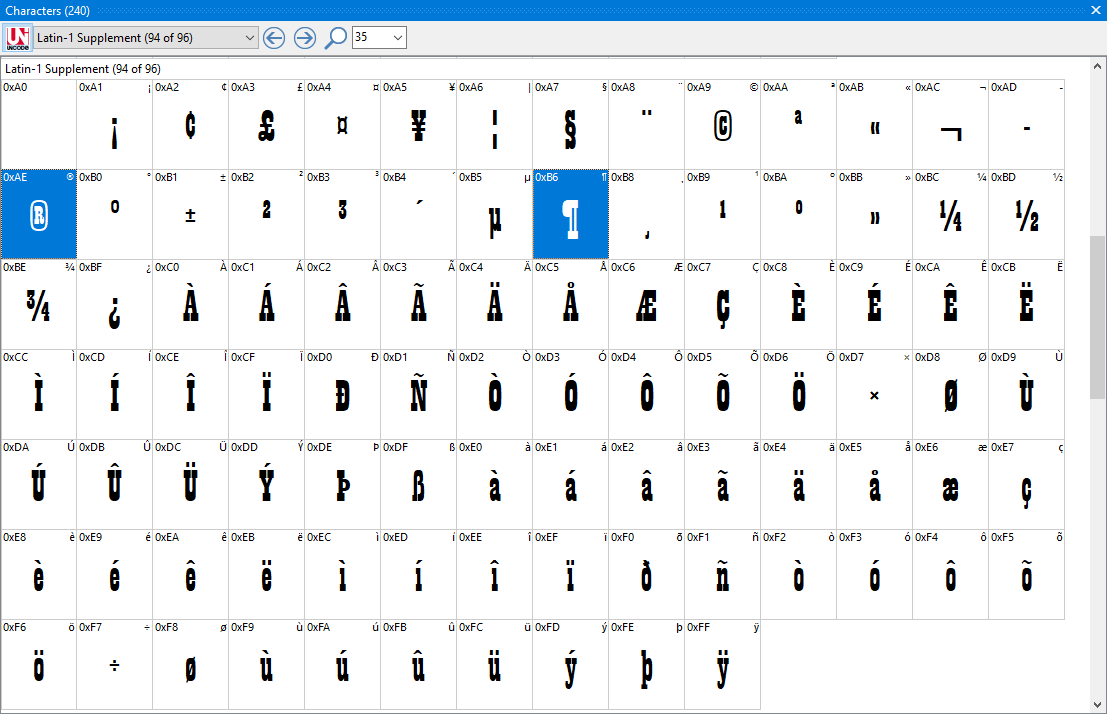
Example: the PLAYBILL.TTF font contains only 94 out of 96 glyphs in the Latin 1 supplement subset. In this example, the numbers #AF (i.e. 175) and #B7 (i.e. 183) are to be obtained instantly in a file.
How do I do this?
Hello, Bhikkhu Pessala. This is a very useful feature that I did not know about. Thank you, Bhikkhu Pessala.
My question however is more about the convenience of the end user of the font.
Both Maintype and Font Creator, these tools can immediately detect all the glyphs present in a font. Here, it is a question of obtaining in the same way, “instantaneously”, this list in an exportable file which will list all the numbers of the glyphs which do not exist in this font.
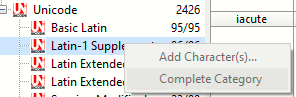
If you complete any category FontCreator will add the glyphs at the end of the font. Select the empty glyphs and cut them (Ctrl+X). Open the Insert Glyphs dialog and paste the clipboard contents into the Insert by name tab. Click the Validate icon to calculate the number of glyphs.
If I do this for Latin Extended-B for my font, I get a list like this. You could paste that list into Notepad and save that as a text file.
This list is useful, but it is not very useful outside Font Creator and Maintype since, as with all other software of this type, the names are now only friendly names. They will vary according to the idea that the creators of these different tools have of them.
Unicode contains seventeen planes of 65,536 characters each, making a total of 1,114,112 possible codes. Plane 0 alone contains 4096!
While glyph names used to be an important part of a font, this plethora of glyphs have led designers to deliver their fonts without glyph names.
It is therefore imperative to identify glyphs by their number.
Here’s a concrete problem: I converted the free Microsoft playbill.ttf font (258 glyphs) into woff and woff2 with Font Squirrel and Font Creator, then displayed the result on Firefox browse. There are 3 differences! And here, it is necessary to understand that there are, however, only very few glyphs in the font.
This will also allow a visual treatment that would be impossible from the only (friendly) name of each glyph.
Only their number will allow differentiating the missing glyphs. 256-337,340-375, 377-383.
I want to make a page displaying on the Internet the Unicode plan 0 of the different characters of a font. It is clear that browsers substitute a character when it does not exist in the displayed font. I would like to automatically indicate on the page all characters that do not exist so that they are not displayed or are indicated in a particular way.
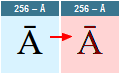
For example, the Unicode 256 character (the letter Ā, Amacron) does not exist in Playbill. So I need to be able to add in the HTML code a ‘.missing’ class for this letter Ā (and every other missing character) something like
<div class="missing"><p>256 – Ā</p>Ā</div>
The task is inordinate since plan 0 contains 4590 characters and only 240 are (in this example) used.
I can’t figure out how to intercept the font replacement by the browsers when they detect a missing character.
Another solution is therefore to prepare the page display by extracting a list of these Unicode numbers from Maintype or Font Creator.
I need to know the Unicode number of each character that is displayed and each Unicode character that is not displayed.
Example: Playbill uses 240 Unicode characters out of 4095 possible, Arial 3331, etc. among many other fonts. I would like to automatically get a list of the numbers of all the characters available or not available in a font.
It is this list of numbers that I can’t find in Maintype or Font Creator.
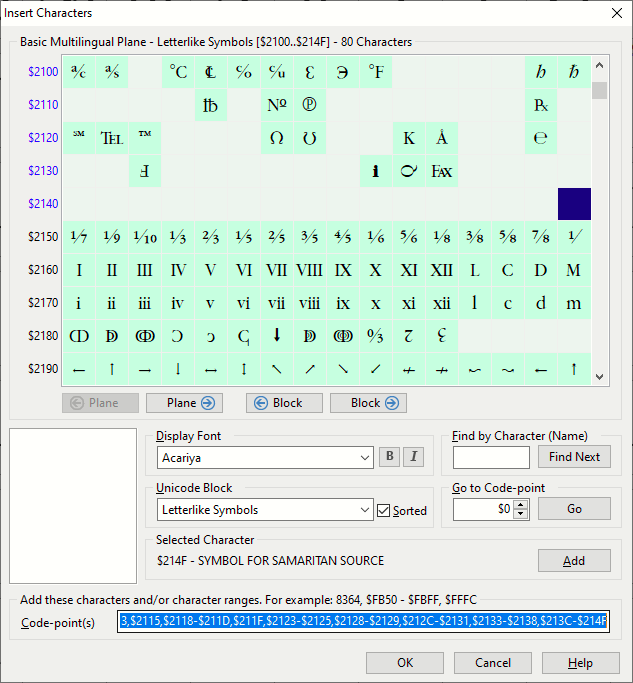
Use the Insert Characters Dialog to complete the desired character set. Double-click an empty character to add it to the list; Shift+Double-click to add a range of characters. Copy the characters to the clipboard to get a comma separate list of code-points; in this example all missing characters from the Letterlike Symbols Unicode Block.
I’m afraid that doesn’t really answer the question.
One cannot of course click on each missing character one by one, as there may be thousands in a font. I really need to be able to export a list of characters present or absent in a font.
Thank you Bhikkhu Pesala, however, for your answer which allows me to review once again some sometimes forgotten and rather useful features of Font Creator.
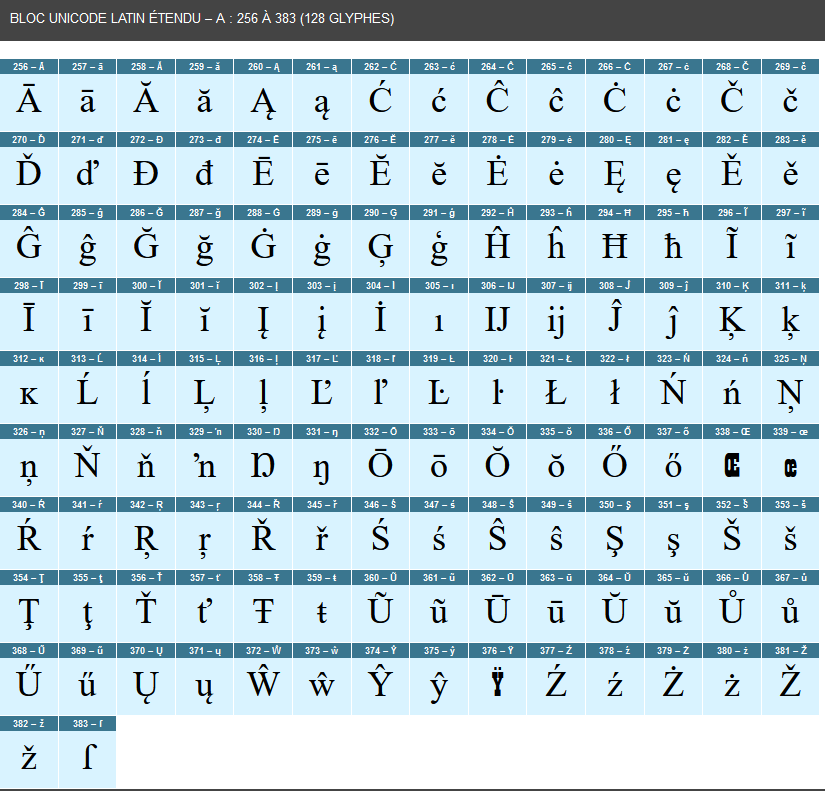
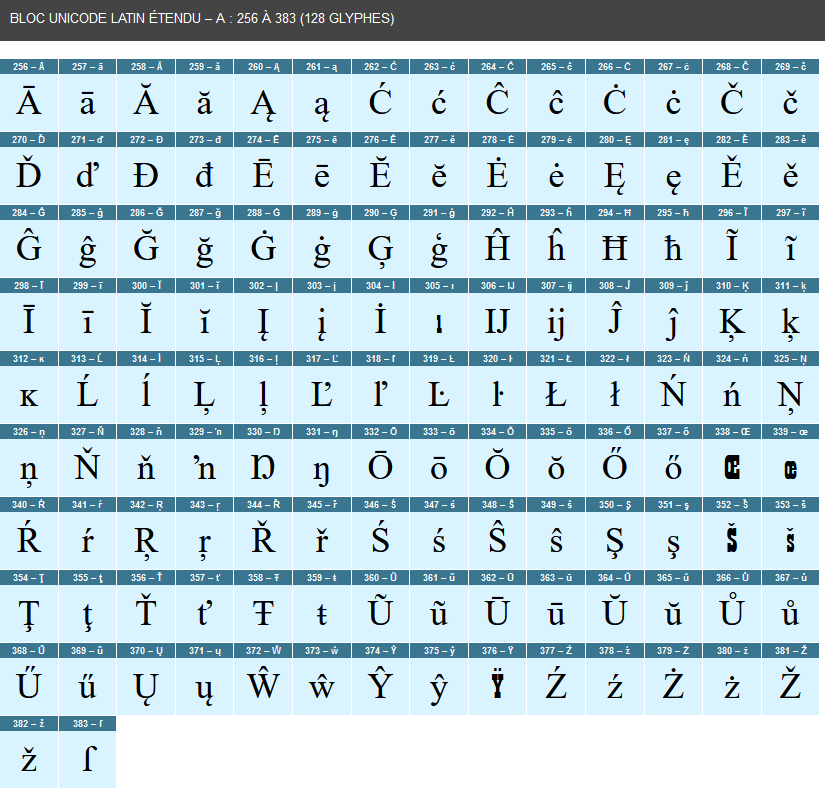
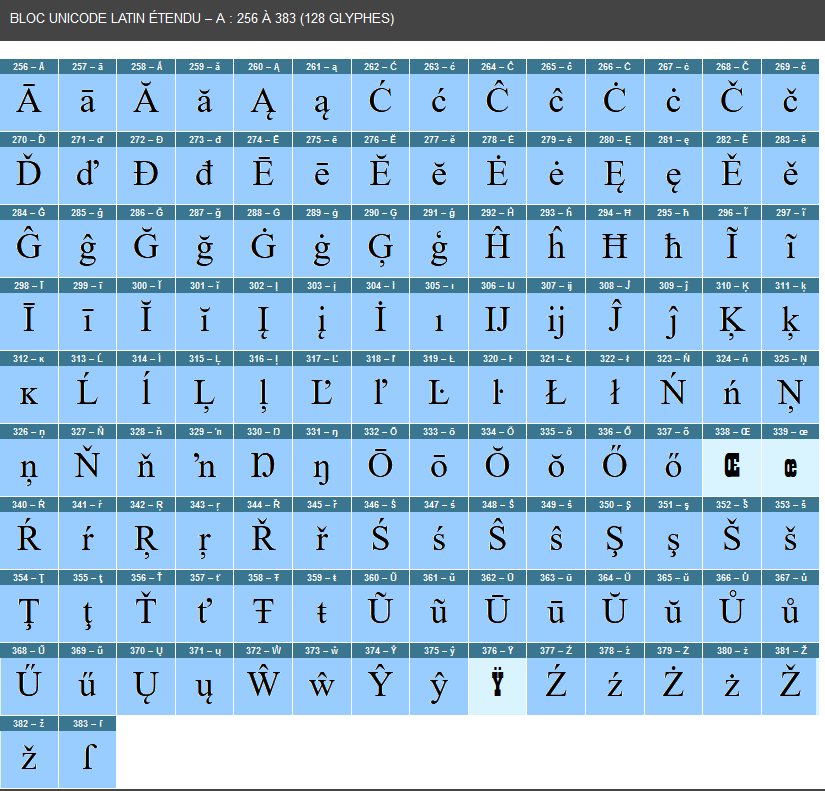
 For example, the Unicode 256 character (the letter Ā, Amacron) does not exist in Playbill. So I need to be able to add in the HTML code a ‘.missing’ class for this letter Ā (and every other missing character) something like