I had many fonts from Adobe CC>Fonts that I use in Photoshop. I removed them all through the Fonts app in Adobe CC and would like to reinstall some of them and either tag them or put them into a group.
I reinstalled (through Adobe CC>Fonts app) “Sinete” as a test. It does not show up in ”Library” only “Active Fonts”. I understand in order to tag the font it must be in “Library”.
Is there some way to groups these fonts?
Thank you.
Irene
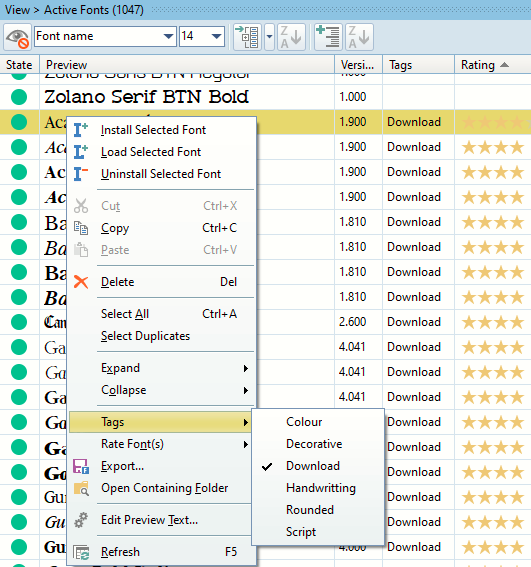
I have no problem tagging Active Fonts.
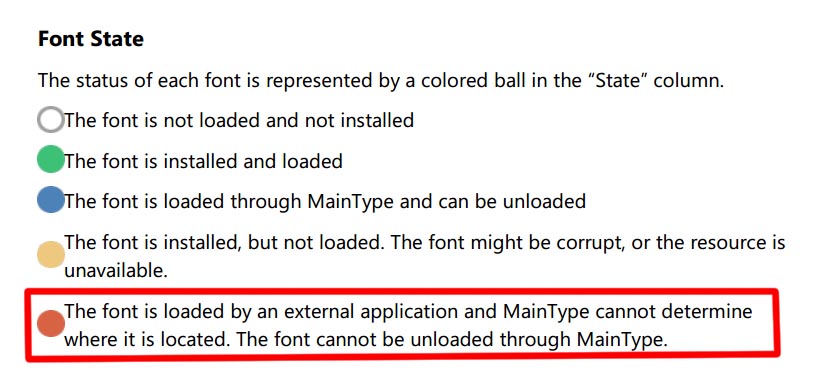
I can tag the ‘green’ state ‘active fonts’ but not the ‘red’ state active fonts.
Suggestions?
Irene
Uninstall them using the Creative Cloud app, and reinstall them using MainType.
How do you install Adobe CC fonts? I didn’t find info in the Manual or Help section for installing through an external application.
My understanding is that Adobe CC fonts are only available in the fonts menu for specific programs, like Photoshop, Illustrator, Word, etc. through CC.
They don’t show up in Windows>Fonts. Where would I find them on my PC?
Irene
We don’t know where they are stored, but you can use MainType to export fonts to your file system. Then you can add the folder to MainType, so you can manage these fonts through MainType.