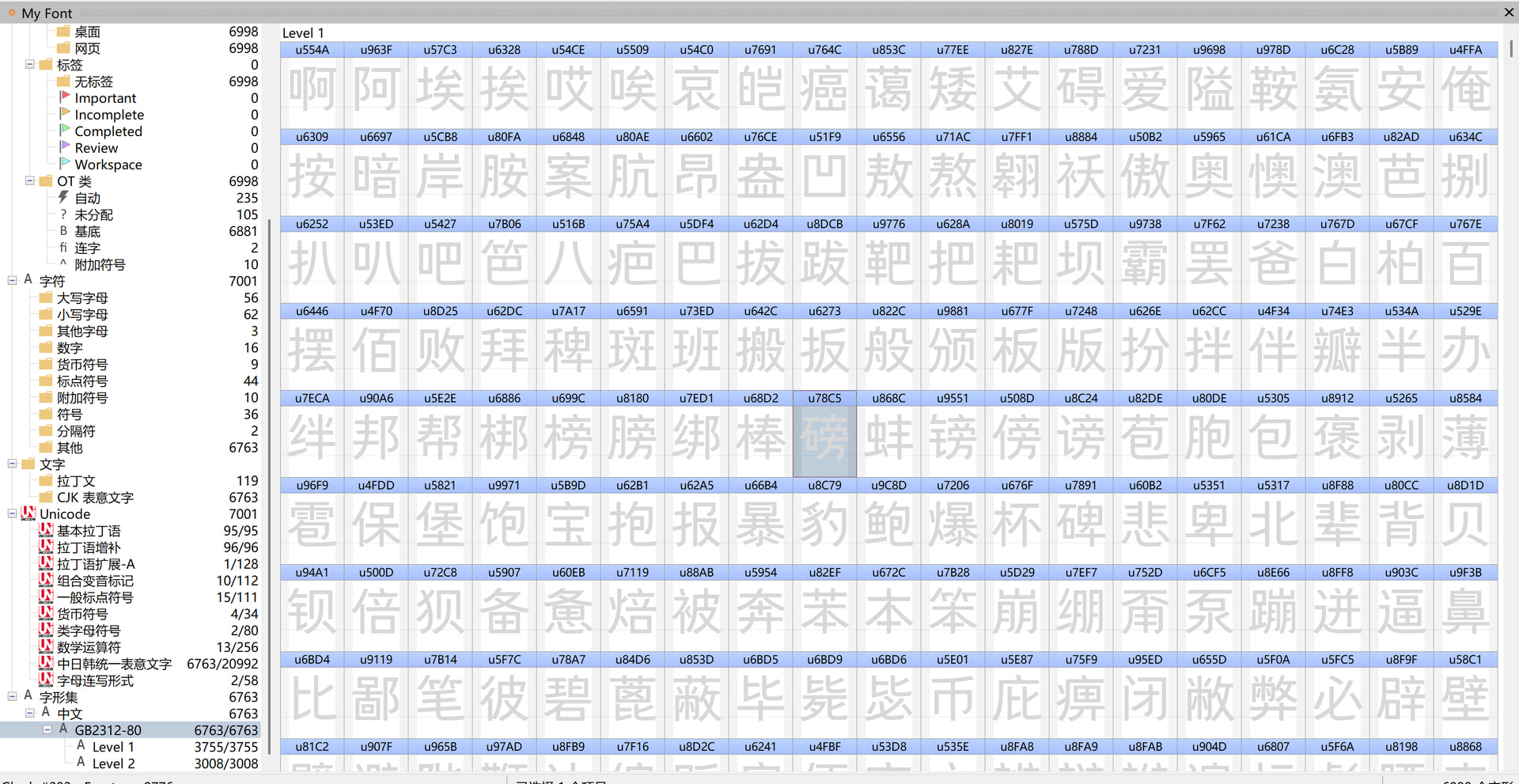
Hello, currently there is only one CJK folder in the left-hand directory of FontCreator, which contains 20,992 Chinese characters. Sometimes I don’t need that many characters; instead, I need the 6,763 Chinese characters specified in the GB2312-80 character set. I don’t know how to locate them. Could you please add a GB2312-80 folder to the left-hand directory? Thank you!
Thank you for the suggestion.
GB2312-80 is an older Chinese character encoding standard, while FontCreator works with Unicode. For that reason, I am reluctant to add GB2312-80 as a regular category alongside the Unicode categories.
However, I understand that the set of 6,763 Chinese characters defined by GB2312 can still be useful as a convenient subset when designing a Chinese font. I will consider whether FontCreator could provide an appropriate way to select or filter such predefined character sets.
I understand that you are asking for the 6,763 characters defined by GB2312-80 as a convenient character subset, rather than support for the GB2312 encoding itself.
What I would like to understand is why this particular character set is still important for current Chinese font development. GB2312-80 is an older standard, so before adding it to FontCreator I would like to know what current workflows or requirements specifically call for these 6,763 characters.
Are you targeting a particular platform, specification, certification requirement, or type of font that requires the GB2312-80 character repertoire?
Hi Erwin,
You asked why the 6,763 characters of GB2312-80 are still needed today. Let me explain from the perspective of actual Chinese font development:
-
It is the national minimum standard.
GB2312-80 defines these 6,763 characters as the minimum character set that Chinese information processing products must support. Many Chinese font projects in China, especially for Windows desktop, embedded systems, and government/enterprise systems, have clients or tender specifications that directly require coverage of all 6,763 GB2312 Chinese characters. The font is still output in Unicode, but during design, these glyphs must be complete. -
They cover 99.75% of actual usage.
Large-scale character-frequency studies show that these 6,763 characters cover 99.75% of modern Chinese text. The remaining 0.25% consists of rare characters, variant forms, and traditional characters that most users never encounter. -
Their structure is well suited to practical design work.
The 3,755 first-level characters (ordered by pinyin) cover everyday text, and the 3,008 second-level characters (ordered by radical) fill in the gaps. This gives me a natural, ordered checklist to work through — far more efficient than filtering through 20,992 CJK characters. -
Common traditional characters are usually added too.
In practice, when making a simplified Chinese font, you often also need to cover an additional 2,000+ common traditional characters, forming a practical subset of about 9,000 characters (“simplified + common traditional”), which covers Hong Kong, Macau, Taiwan, historical/literary content, and brand traditional scenarios. -
Developing Chinese fonts is extremely time-consuming and labor-intensive.
Unlike Latin fonts, every Chinese glyph has to be drawn individually, and a single font can take months or even years. For most developers, there is simply no way to build a large character set — we can only meet the minimum required standard. That is exactly why a predefined GB2312 subset matters: it lets us focus on the characters that are actually required, instead of locating them one by one. -
Currently FontCreator cannot directly add these 6,763 characters as a group.
They are not contiguous in Unicode, so you can only prepare a list of Unicode code points and paste them via Font → Insert Characters…, and there may be a quantity limit per insertion, requiring multiple batches. This is very inefficient.
What I am really asking for is not GB2312 encoding support, but this:
When creating a new blank font, I would like to be able to choose “initialize with the GB2312 character set” — the software would automatically register all 6,763 code points as empty glyphs and create a group in the left panel ordered by GB2312. Then I could work through them one by one in order, instead of hunting through 20,992 CJK characters. It would be even better if it also supported “GB2312 + common traditional” or user-defined character lists.
For Chinese font development, this is a genuine necessity. I hope this background is helpful.
We have just released an update that comes with a Glyph Set for Chinese. Let us know if this is what you had in mind.
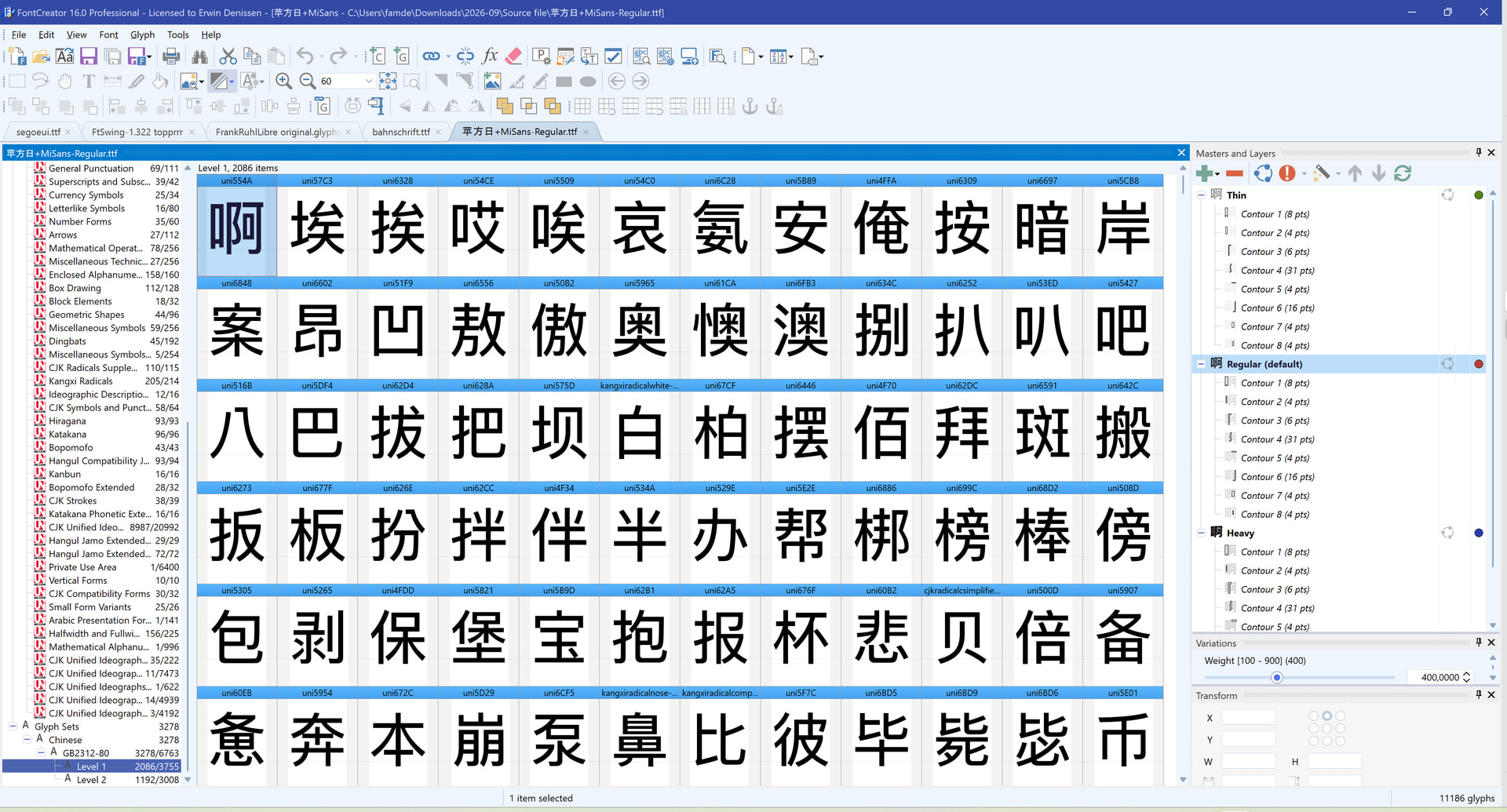
This is exactly what I wanted, but there’s still one problem: when inserting characters, I can’t find the GB2312-80 glyph set and have to look in CJK instead. This is very time-consuming, and I can’t add them in batches. When inserting characters, could I select the glyph set title and add all 6,763 characters in one batch? Thank you!
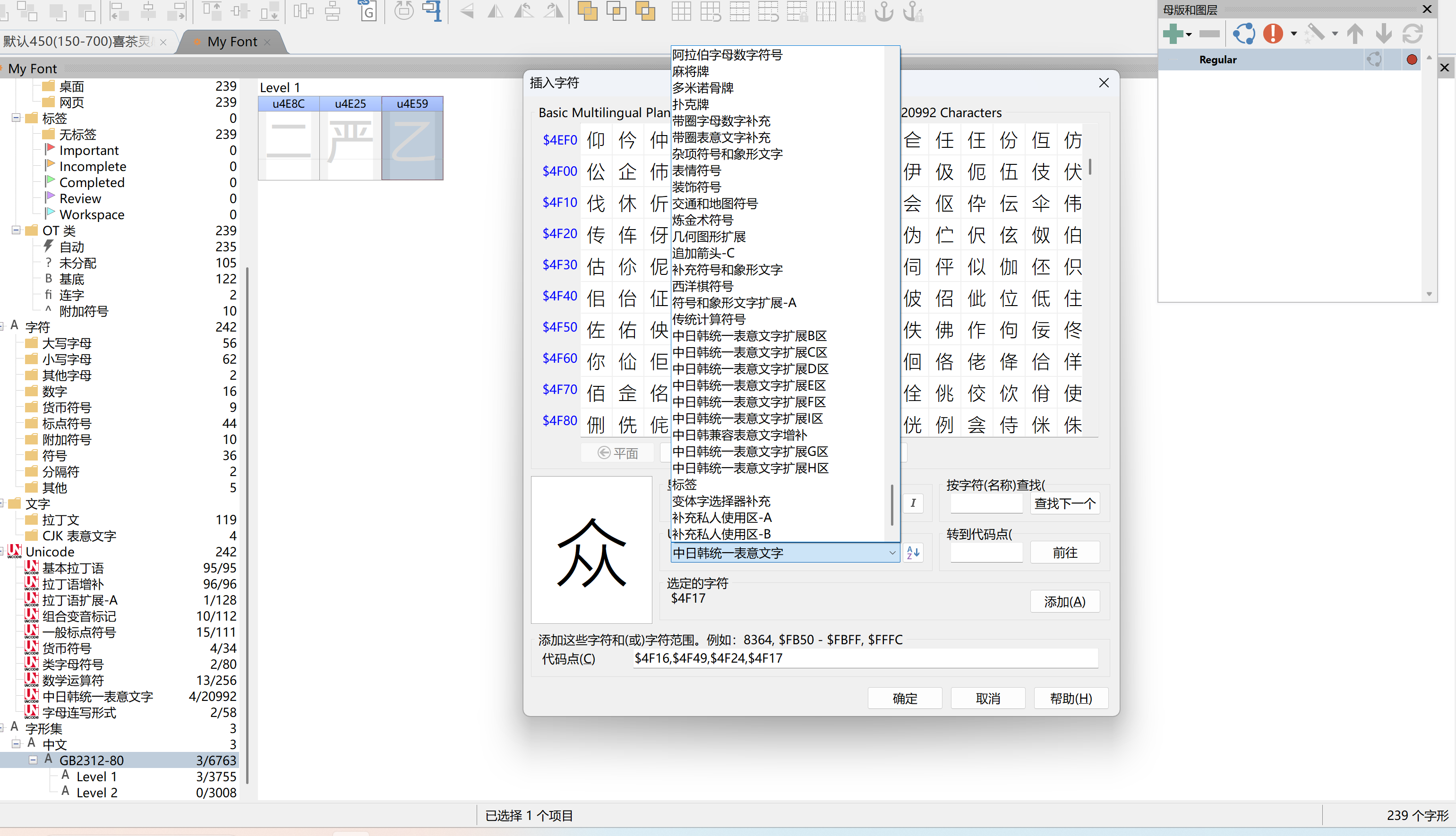
Right-click the category and select Complete Category.