Subject:
The “Jump to Component” context menu option remains active even when the selection is not a composite contour or lacks multiple components.
Description:
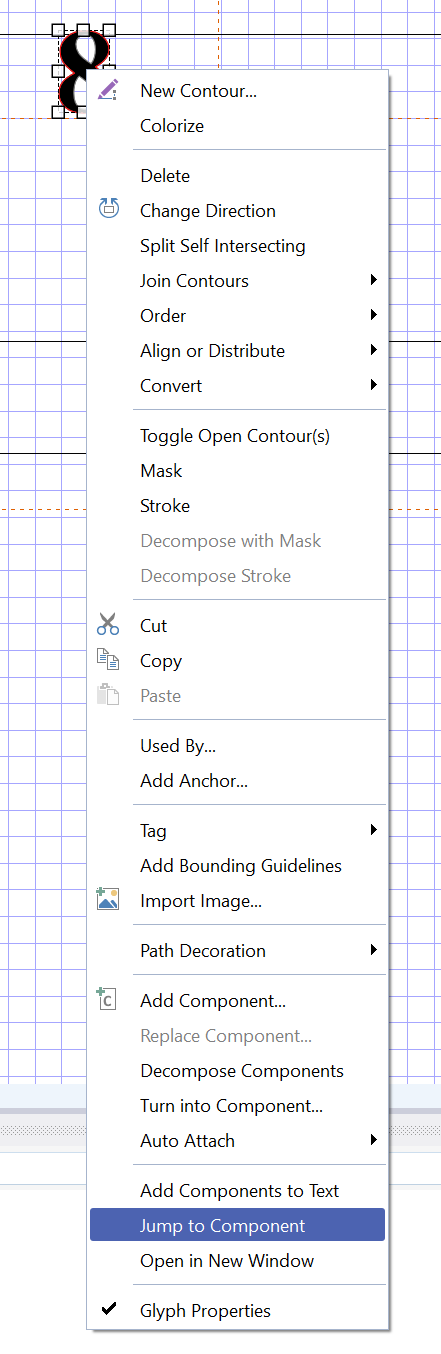
When right-clicking a contour or shape that is not actually a composite glyph (or does not contain multiple components), the “Jump to Component” option still appears active and clickable in the context menu.
Logically, this option should be greyed out or disabled under such conditions. It should only become active when the selected shape is a true composite contour and genuinely consists of components. As shown in the attached screenshot, the selected shape is just a simple outline/single element, yet “Jump to Component” is fully available.