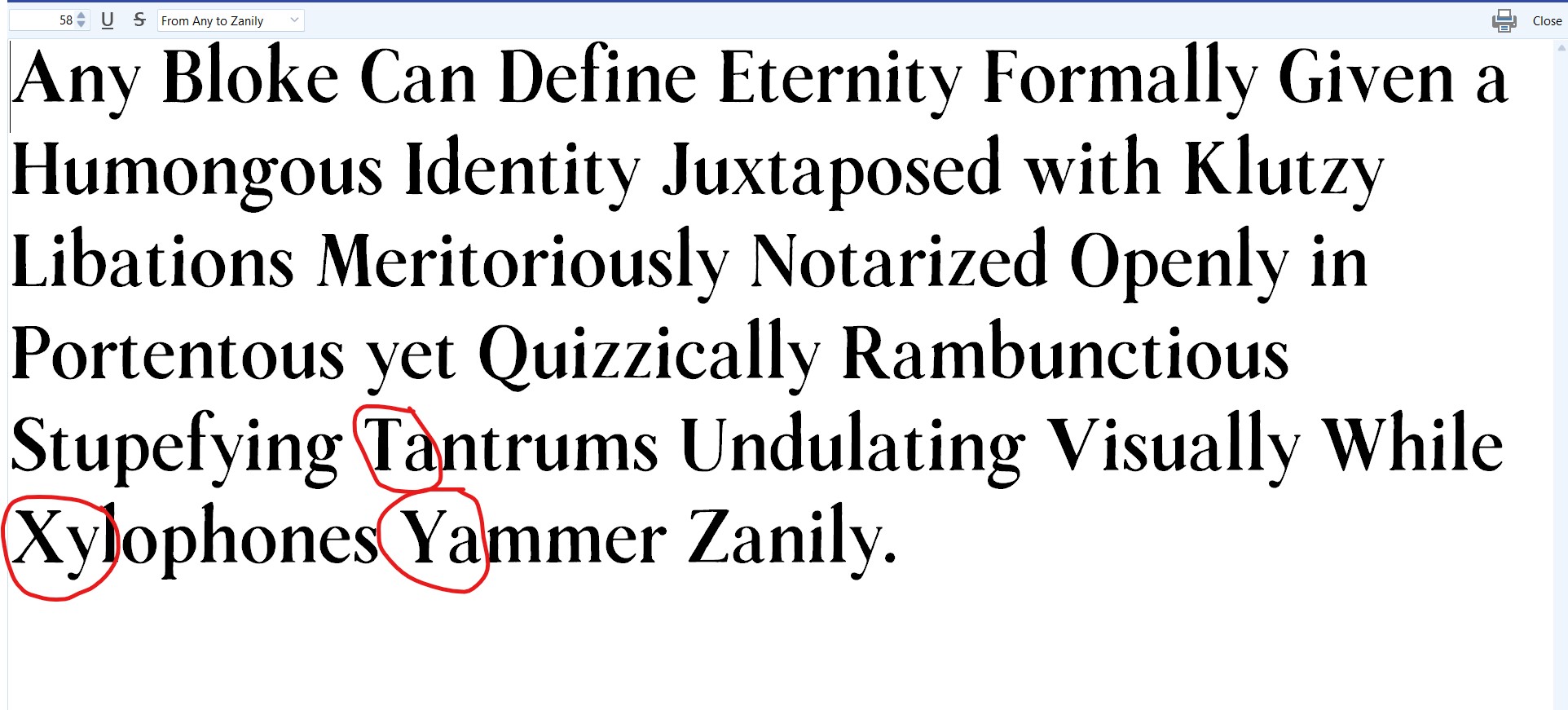
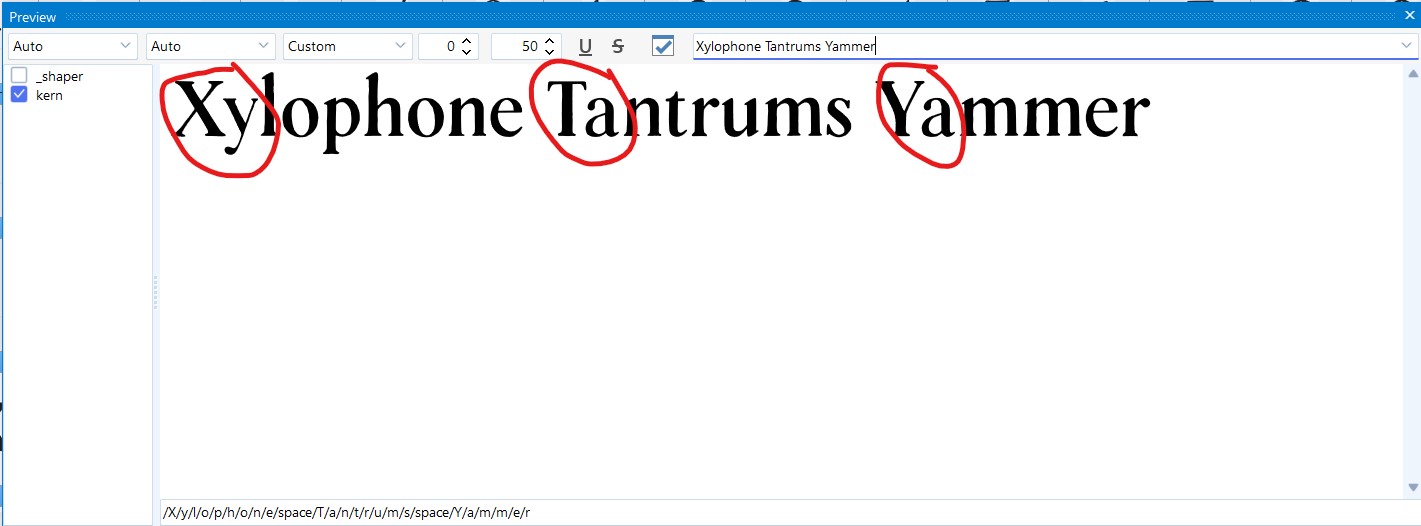
I am experiencing a persistent issue (Font Creator 15.0) where all kerning pairs defined in the F8 panel are not reflected in the F5 (Test Font) window.
I have already verified that the ‘kern’ feature is compiled correctly and that the “Kern” option is enabled in the F8 preview window, but the kerning remains completely inactive in F5.
I also already tried another font file, and got the same result.
Kerning is not supported in the Test Font Window, which is a Windows dialog. You need to use the Font Preview feature inside the FontCreator UI to test Kerning, etc.
Preview Font Help
The preview is not a full blown OpenType text shaping engine, but is still extremely useful while testing your font, metrics, kerning and other OpenType layout features it contains.
Test in other Software
While this Test Font dialog is open, you can also use your font in other software. The font has a temporary name as shown between brackets in the window caption bar, which is usually the original font name followed by a number.
Thank you for the clarification. I understand now that the Test Font window doesn’t support full OpenType features like kerning. I will use the internal Preview feature instead.
I usually design script fonts, so I hadn’t noticed this before. However, since I am currently working on a serif font, the lack of kerning in the preview became quite apparent.
Thanks again for your help and super fast response!
Kerning is intended to work in the Test Font (F5) window, but at the moment Windows does not always apply it consistently there, so the result can indeed be incorrect. For reliable kerning preview, please use the preview inside FontCreator.
We are aware of this inconsistency and plan to improve it in a future release.
Thanks for the explanation. That makes sense now. I’ll rely on the preview inside FontCreator for checking kerning. Looking forward to the improvements in the next updates.