Hello Edwin and Team
I am working on variable fonts and finding that the Masters and Layers Panel’s ability to edit across layers can be improved:
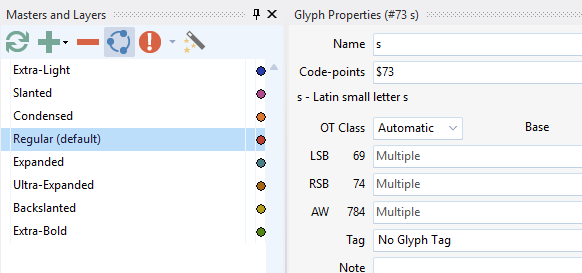
Bearings - “Edit across layers” forces us to edit ALL instances at once. Turning off “edit across layers” forces us to edit ONE instance at a time. Why not allow us to select the instances we want to edit? For example, slanted (oblique) and backslanted need their own metrics. But every other instance shares their LSB and RSB values. Where are the bearings now? If I select “Edit across layers”, all the LSB and RSB on the F4 Glyph Properties panel say “Multiple”. I can replace them all with “base()” and hope it works out, but I can’t select all the instances I want to and adjust them.
Anchors - There is no functionality to edit the location of anchors on more than one instance at a time. If you discover an accent is in the wrong place, you must go to the base glyph, and go instance by instance editing the anchor value or values. I really really really need the option to edit the anchor location on more than one instance at a time. Multiple anchors per glyph, multiple instances per font, and hundreds of glyphs per font - the number of anchor edits to correct a problem is shocking. I get that some people may be used to knowing that anchors don’t move when you have “Edit across layers” turned on. If it needs to be a separate button, so be it.
Thank you for your consideration on this matter.