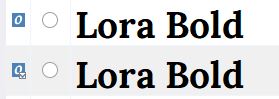
I thought there used to be a little section explaining the symbols used to show what Font Types there were, but I couldn’t find them under the Font Types section. Although I seem to remember that updating the User Manual was a very low priority item. =)
@heathert
I don’t know if you tried this, but another way to find out what each of those icons means is to just make the “Type” column wider by dragging the side of the top header. It will replace the icon with text explaining the different types.
No, you are not. The software is powerful and flexible with many different functions. I feel like we all find it a challenge to wrap our heads around all the nuances.
Ask any question! I would never judge.