OpenType Designer fails to reopen after adding ~1,600 words to Preview Pane — “A call to an OS function failed.”
Issue Detail:
I have encountered a reproducible problem in FontCreator 16.0.0.3077 involving the Preview Pane of the OpenType Designer.
I am working with a large set of approximately 1,600 words, where all of the words consist of two-letter words. When I add this large number of words to the OpenType Designer’s Preview Pane, FontCreator initially allows the data to be loaded/displayed.
However, after I close the OpenType Designer, I am no longer able to open the OpenType Designer again for that font/project.
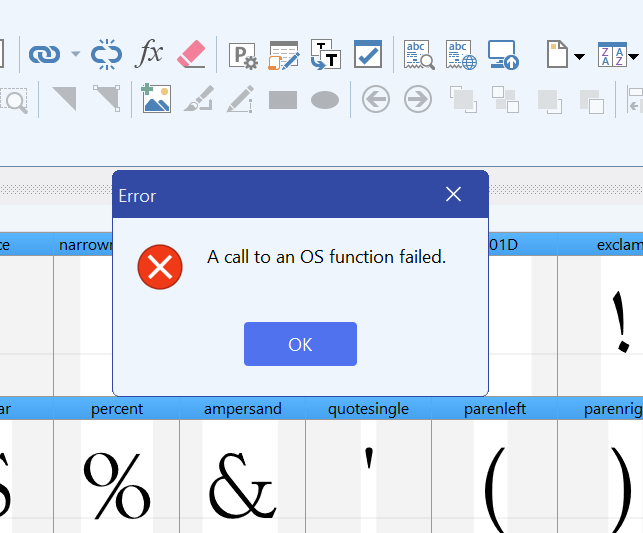
When attempting to reopen it, FontCreator displays the following error:
“A call to an OS function failed.”
The OpenType Designer then fails to open.
This appears to leave the OpenType Designer in a persistent broken state for the affected font/project. Simply closing and reopening the OpenType Designer does not resolve the problem.
Expected Result
The OpenType Designer should either:
- successfully handle the large Preview Pane word list, or
- gracefully reject/limit an excessively large input,
- display a meaningful application-level warning if the input exceeds a supported limit,
- and, most importantly, remain recoverable after the OpenType Designer is closed.
A large Preview Pane dataset should not permanently prevent the OpenType Designer from being opened again.
I would particularly like to know whether FontCreator stores the Preview Pane word list or its state in the font/project configuration.
If so, the large word list may be causing an invalid or excessively large persisted state that FontCreator attempts to restore when reopening the OpenType Designer.
Could you please advise:
- Is there a documented maximum number of words/characters supported in the OpenType Designer Preview Pane?
- Is approximately 1,600 words expected to be supported?
- Is there a known limitation with very large Preview Pane datasets?
- Why does closing the OpenType Designer cause it to become unable to reopen?
- Is there a way to reset/clear the Preview Pane data or configuration externally so that I can recover the affected font/project without losing my font work?
- Does FontCreator have a log, diagnostic file, or crash/error report that I can provide to help identify the underlying OS-function failure?
- Could this be related to a Windows resource limitation, Preview Pane buffer, persisted UI state, or another internal limitation?
Additional Information
The words are not unusually long. The significant factor appears to be the number of words in the Preview Pane, rather than the complexity or length of individual words.
The problem is particularly important for my workflow because I am working with large Arabic/Urdu/Qur’an-related word datasets and need to test OpenType shaping behavior against substantial word lists. Therefore, using only a small number of test words is not sufficient for my intended testing.
I have attached a screenshot showing the error dialog.
Product: High-Logic FontCreator v16.0.0.3077
Component: OpenType Designer → Preview Pane
Issue Type: Crash / persistent OpenType Designer startup failure
Operating System: Windows 11