Hi,
A suggestion regarding the “sample panel”.
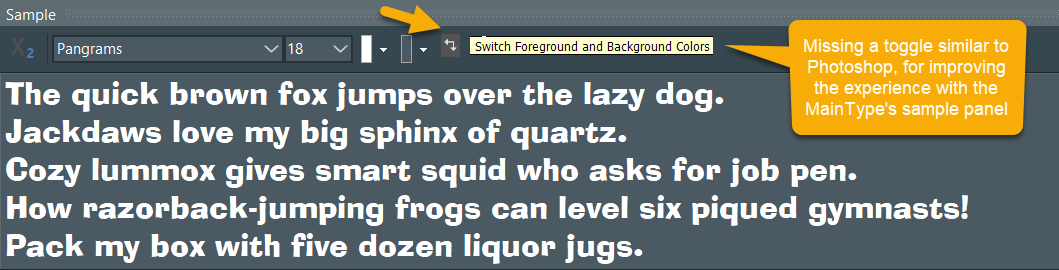
I missed a toggle similar to Photoshop (as shown in the image below) that would allow to “switch foreground and background colors” quickly.
It would improve a lot my experience with the MainType’s sample panel, since I prefer the Dark theme (white font against dark background), but I do need to also check the font in black against a white background often.
So, often having to change the two independent color pickers is a bit counter-productive.
Thanks for your consideration 
Cadu
That is a nice suggestion; we will add this to the next upcoming update.
We have just released an update which includes this enhancement.
A nice improvement that is worth mentioning in the changelog.
I have updated My Review Page with new screenshots.
I have updated the changelog.
Thank you very much for the improvement!
Cadu