Hi everyone
I have a really good one today.
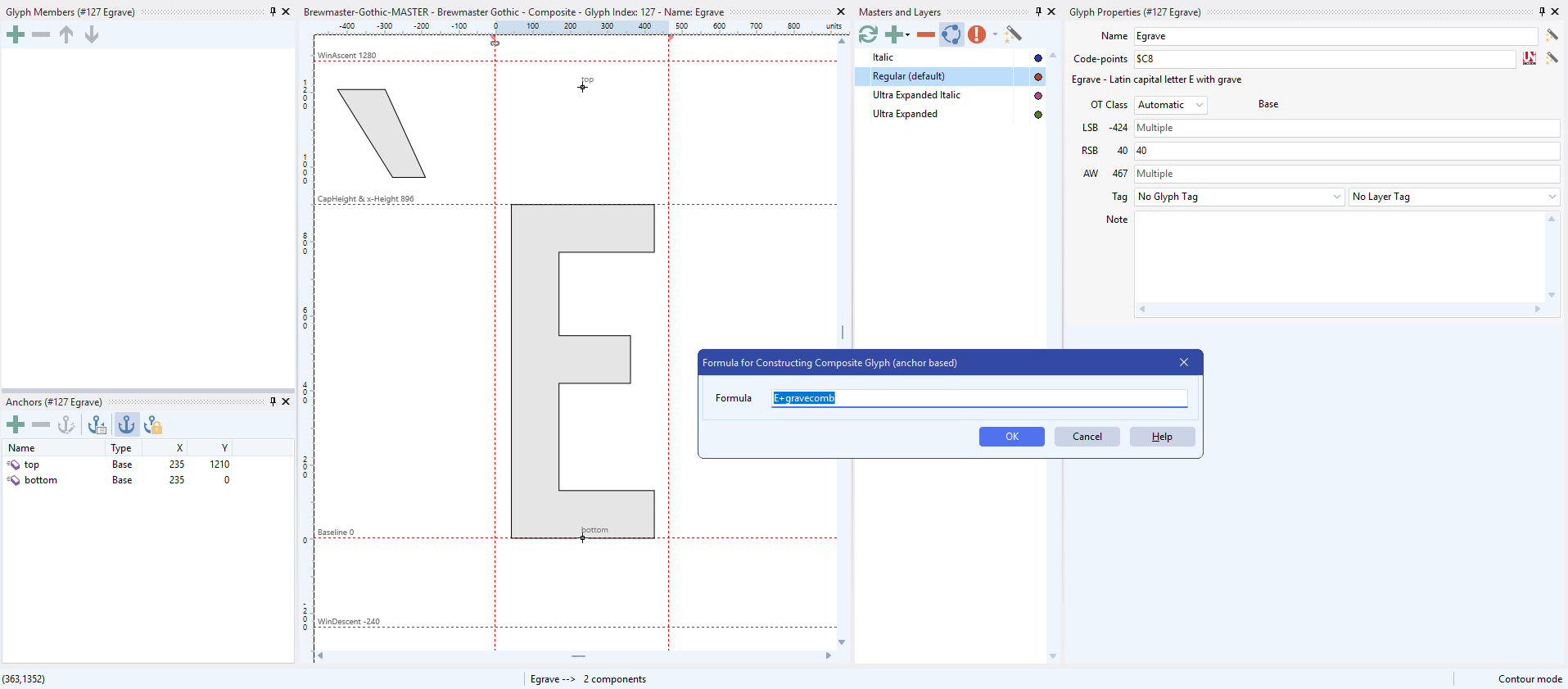
Here is a photo of a composite glyph that was created using a formula: E+gravecomb. We can see the gravecomb is out of alignment. The question is: can we have a much faster way to fix this?
Right now we don’t know if the anchor is incorrectly placed in the E, or in the gravecomb. (I know “auto-attach” is off, but pretend that auto-attach is on and that we still have the gravecomb out of alignment). We shall need to visit both glyphs to review their anchors in order to fix this.
Here are some suggestions on how to make this faster. I am not sure what would be the easiest to implement:
- Quick navigation to member glyphs
- Anchors panel include tabs to allow us to choose to view the anchor data for the Composite glyph, base glyph, and mark glyph
- Display of member glyph anchor points in the glyph window of the Composite Glyph
- In another colour
- Toggle on/off
I really struggle with correcting anchors on variable fonts, and anything that can be done to speed up the process is so important. 90% of the work these days seems to be anchors.
Thank you for your consideration.