Workflow on Positioning Marks with Anchors and Classes

I’m pretty new to OpenType work and I’m looking for some workflow guidance, mainly with positioning, more specifically with classes and anchors.

I would like to explain what I’ve done step by step, and I will explain the problems I encountered, but if there is anything I’m doing wrong in the process, please point it out.

I’m working on a Hebrew font that has many M2B and M2M positionings.

  • I set my characters, BASE and MARK, appropriately.

  • I created some glyph classes, @letters for my BASE characters, and @nikud for my MARK characters.

  • I added several BASE anchors on my base characters (like bottomcenter, topcenter, topright, topleft etc.), and a MARK anchor (matching the base anchor names) on my MARK characters.

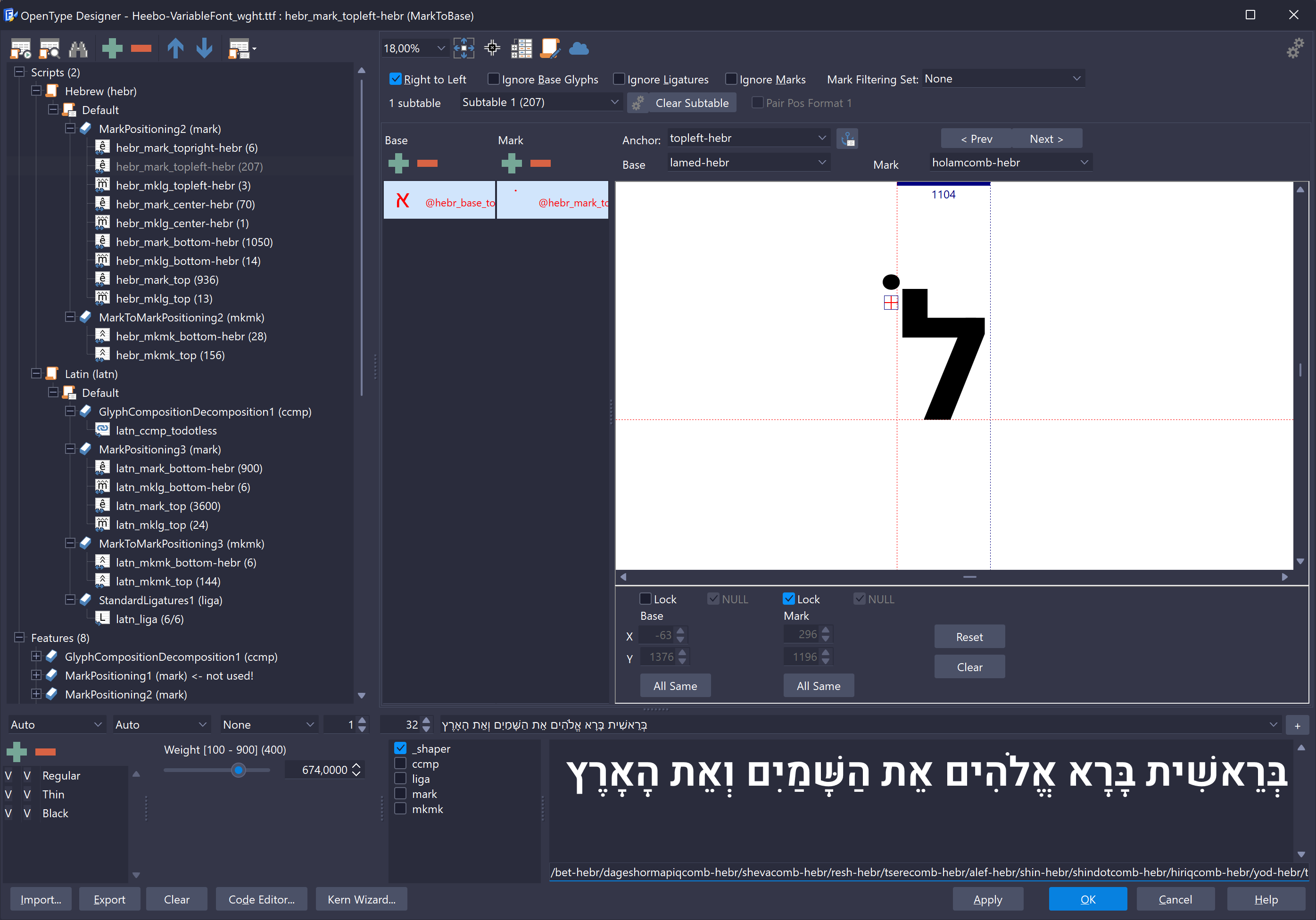
  • I went to the OpenType designer, created a new Mark feature and a markToBase lookup. I chose my @letters class for the base and my @nikud class for the marks. As I paged through them one by one, I set the proper anchor and added any shift if necessary.

This seems to be good so far. (Or am I supposed to group the differently?)

Some issues I encountered:

  1. When paging through base>mark pairs, I sometimes needed to change the mark from center to right, and then on the next one, back to center. I noticed that in the code editor, both of the settings were being registered. This seems to cause confusion.
  2. After I finish going through it all, it seems that font-creator substituted my original classes with new class names, and split them into subtables. I’m not sure why, but maybe because there was a clash caused by the double anchor position that I specified in #1?

If someone can please ensure that:

  1. Ensure that I am working with anchors correctly
  2. Ensure that I am creating the correct classes
  3. Explain the registering of the anchors for the marks. When do they get added to the code, just by passing through them?
  4. Explain why font-creator is making new classes and not using my classes

Thanks,
David
Thanks for the detailed explanation, David.

Decompiling your OpenType layout features and then compiling them again will cause some loss of information. Feature code cannot represent everything FontCreator stores internally, so names, classes, and other details may not survive. In addition, the compiler may optimize or restructure the lookups differently than your original setup.

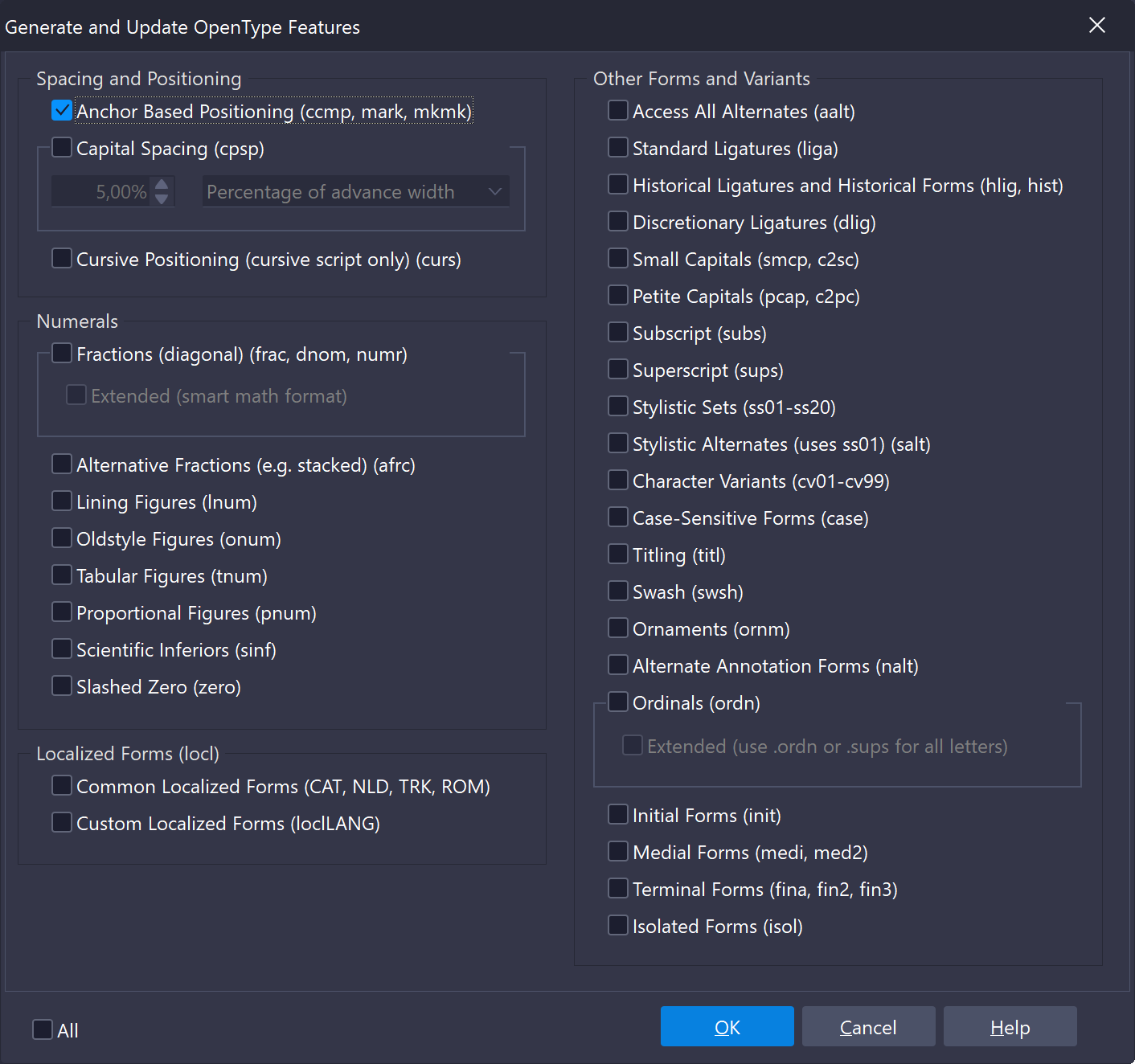
Especially for Hebrew with many M2B and M2M attachments, I highly recommend relying on FontCreator’s OpenType Features Generator, especially for anchor-based positioning (ccmp, mark, mkmk). Once your anchors are set correctly on the glyphs, the generator will create and maintain the lookups for you. When you later add or adjust characters, you can simply regenerate. This way the anchors remain fully under your control, and FontCreator updates the feature code automatically.

Thank you very much for your reply, Erwin.

A few follow-up questions:

Question 1:
When you say decompiling/compiling, do you mean that is what’s happening each time we open the code editor?

Question 2:
Regarding the workflow, your suggesting that I should do all the work in Font Creator, setting up the anchors etc., and then just use the generator. What about substitutions, ligatures, and contextual lookups? Does regenerating wipe everything out and start from scratch?

Question 3:
About positioning, this discussion made me realize that ‘fine-tuning’ positionings on specific combinations in the Designer actually changes the anchor position in the glyph. In my current workflow, that doesn’t work for me. Am I supposed to make my anchors more detailed, or should I be making contextual lookups to do the fine-tuning?

Question 4:
Also, a general question regarding the open type designer, (depending on your answer to question #1) when do features get ‘entered’? Here is a clear example. I have a class called ‘nikud’ which contain all vowels for Hebrew. All are placed at bottom-center except for one that is placed top-left. If the designer has the anchor of bottomcenter selected, and I page through all combinations, when I get to that vowel, bottomcenter is still selected (even though it’s glyph doesn’t have such an anchor). If I continue to the next combination, does that setting get entered? And if so, when I realize that I forgot to change the anchor for that combo, and I go back to change it, is that going to add a second setting for that combo, which would obviously seem confusing.

Unless, the generator addresses that anchor problem and the correct anchor will be displayed automatically?

Or, maybe my class setups are incorrect and should be anchor based instead of type based.