Scripts, Features, and Lookups

In the OpenType Designer dialogue, there are three trees on the left, which may be expanded or collapsed. I found that I was spending a lot of time collapsing and expanding the script tree, and scrolling to find the feature or lookup that I wanted to edit. There is a better way to work.
Script Tree
One usually does not need to add scripts, so you can leave this tree collapsed.
Feature Tree

The features are arranged in alphabetical order and cannot be rearranged. I expand this tree when I am exporting fonts as WOFF. Before exporting WOFF versions I delete a lot of glyphs, so some features need to be deleted. Features with empty lookups won’t be exported anyway, so there’s no need to delete those, but those like Character Variants, which have depleted lookup tables need to be deleted.
Lookup Tree

The most frequently edited lookup is the pair adjustment for kerning pairs. I move this to the top of the tree, where it’s most easily accessible and I leave this tree expanded. FontCreator remembers the previous state when restarted.
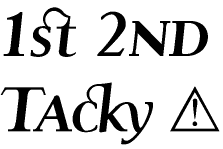
Note that lookups can be moved up or down in the tree by using the arrow buttons on the toolbar. The order of lookups is important. If, for example, Discretionary Ligatures is above Small Capitals, and if both features are enabled, the discretionary ligatures will take precedence over Small Capitals, which can leave documents looking Tacky.
Give some careful thought about which features are most important and rearrange the order of the lookups accordingly. Please ask on this earlier thread if you have any questions about the best order for OpenType features.